Everyone knows GenAI is good for coding. I mean, even Linus is vibecoding with Antigravity now!
However, how AI can help SREs and Operators is still up for debate.
I’m at work when my friend Elia from the Rubycon team tells me: “Riccardo, Netlify can’t update our site anymore!”
Luckily, the site is not down, it’s just stuck!
In this article, we’ll see how Antigravity and Gemini CLI can help:
- Troubleshoot Netlify build issues, quite brilliantly.
- Implement fixes and document changes for future reuse.
- Build a Post Mortem (timeline + action items!) via Custom Commands. Use the Workspace MCP to create an actual Google doc!
All links on how I did it are at the bottom of this page.
Honey, I Shrunk the CI/CD!
aka How I broke Netlify auto-build.
I love Netlify. I use it to maintain my countless websites and blogs, built with jekyll or hugo. Sometimes, the pipeline breaks, and you need to read the logs. I used to fix things manually, before AI. Now I just paste the logs or, better, use an MCP or CLI to have it downlod it for me :) (“teach them to fish” strategy).
This morning, I get pinged by my friend Elia from the Rubycon team: “Riccardo, Netlify can’t update our site anymore!”.
“Sure, file a GitHub issue and I’ll fix it”, I reply. I’m from the old “If it’s not on buganizer, it doesn’t exist” Google school of thought.
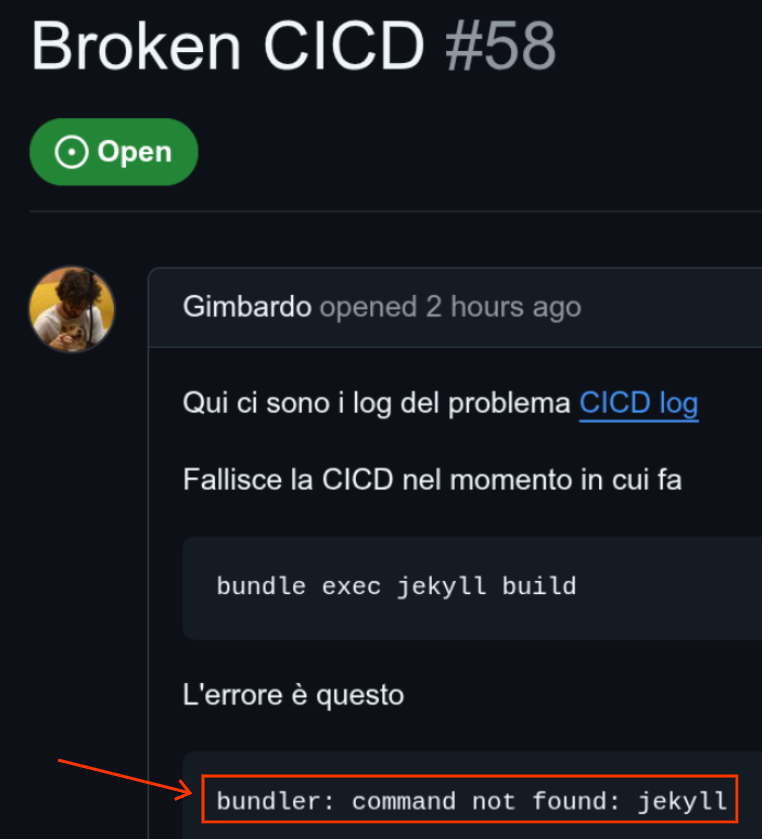
The issue: https://github.com/palladius/rubycon.it/issues/58
Sounds familiar? Luckily I have Antigravity, Gemini CLI, and a number of tools at my disposal to right the wrong! Time to put my Ops hat on and fix this. So let’s Start With…

Fig 1: You’ll never guess my nationality from my PS1..
# I love how I can invoke it from CLI..
$ cd ~/git/rubycon.it/
$ antigravity .
Antigravity Keeps Me in the Loop
Antigravity is great at keeping me in the loop, and surviving software crashes and computer reboots.
I write lazily (I could be a CEO now!) on the right side of Antigravity:
Help me troubleshoot this: https://github.com/palladius/rubycon.it/issues/58
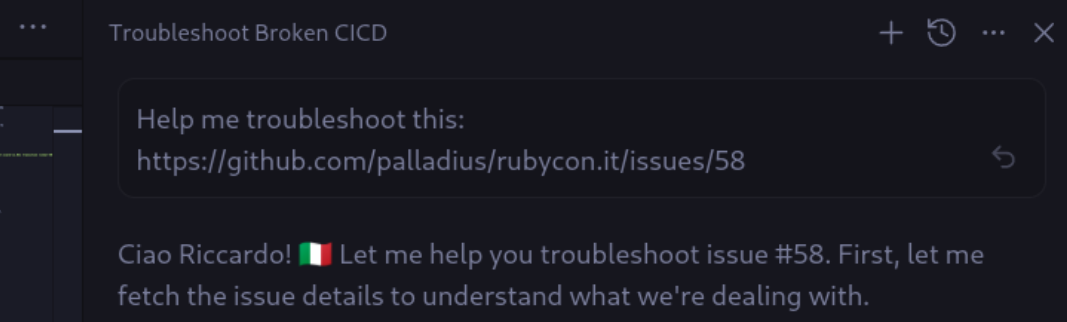
Fig 2 (Hugo): Asking Antigravity to analyze the GitHub issue - notice how I can just paste the URL and it fetches the context automatically!
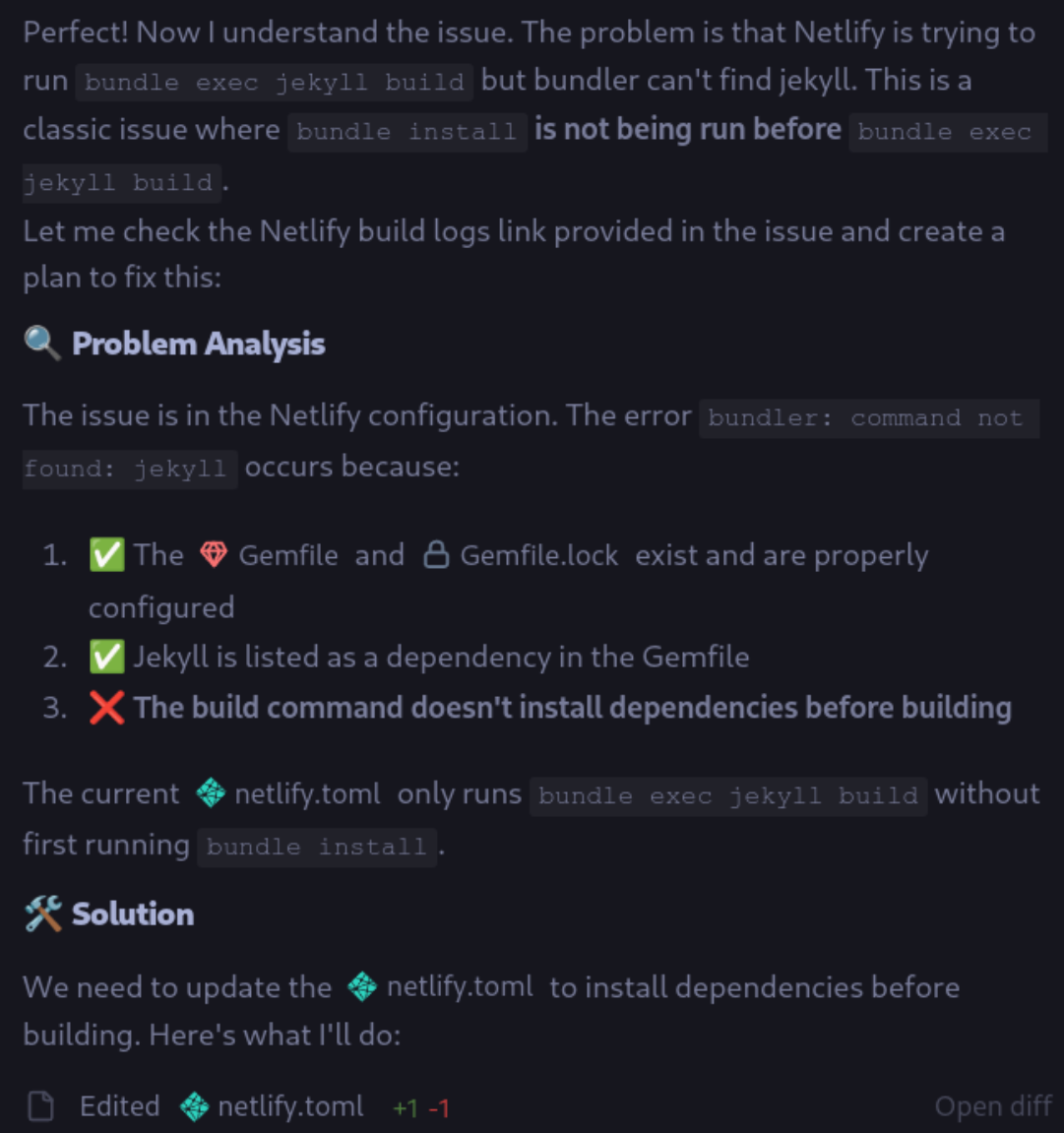
After some thinking, Antigravity analyzes the issue, identifies the problem, and proposes a fix:
Once the fix is ready, I simply tell Antigravity:
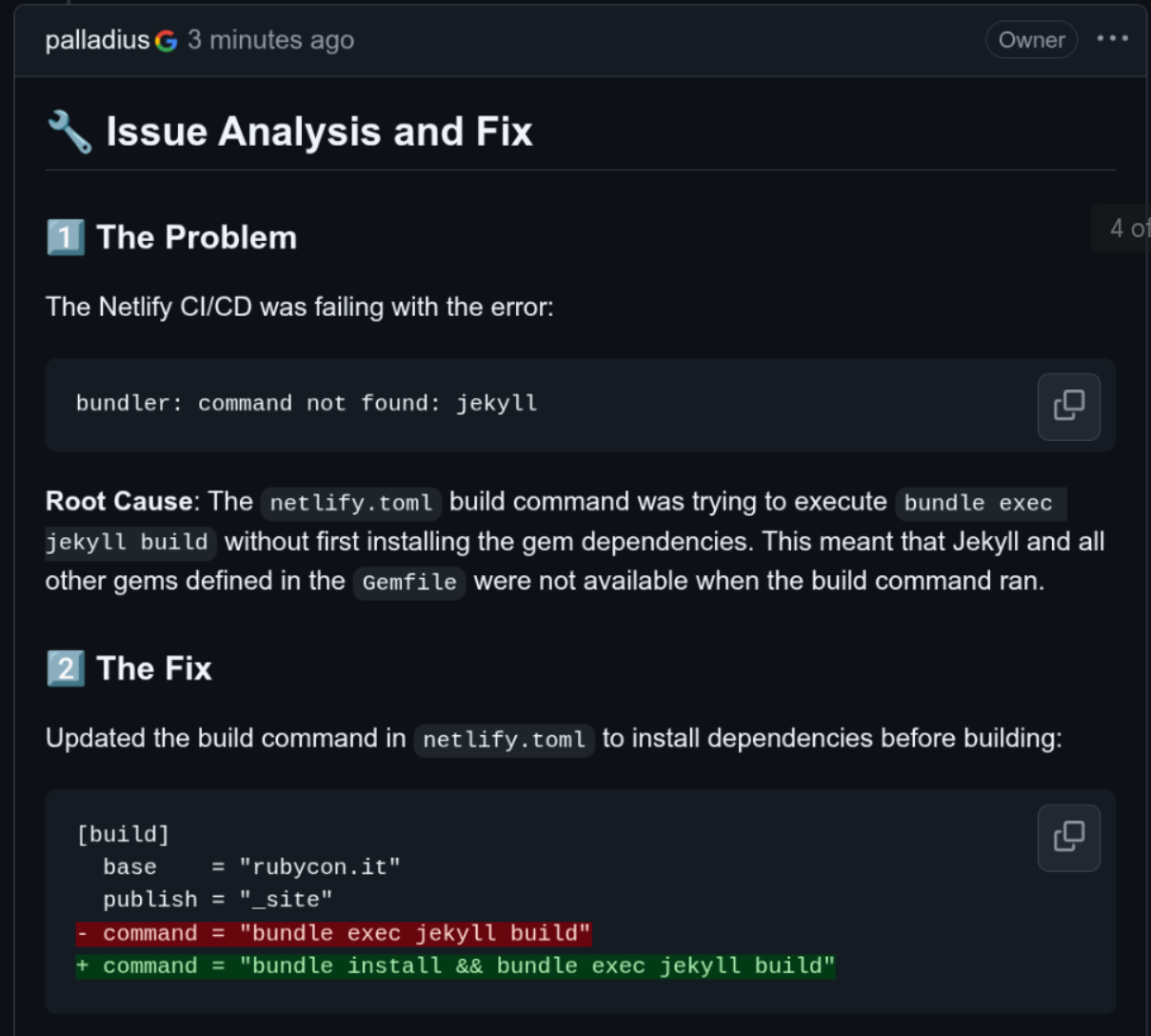
Comment on issue 58 with: 1. what the problem was, 2. what your fix was. Ensure you sign yourself as Antigravity.
Wham! The comment is posted automatically.
Then I type:
“ok git commit with gitmoji and push now!”
And we’re done! The fix is deployed.
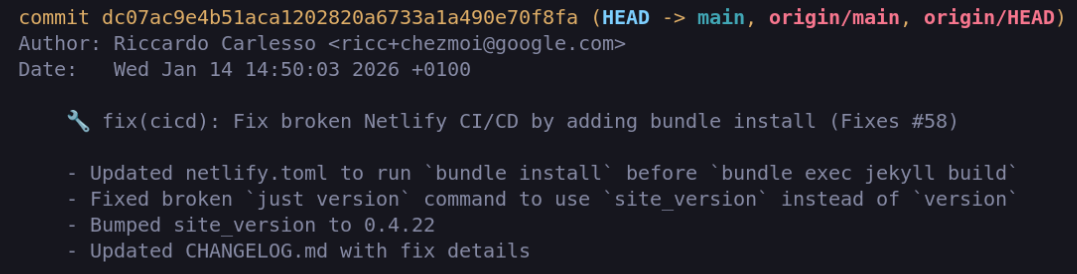
gitmoji is fancy and meaningful at the same time!
Bonus Feature Request: Adding a Sponsor
Meanwhile, a sponsor has just paid us and wants their logo to be represented on our website!
- I file a GitHub issue: https://github.com/palladius/rubycon.it/issues/59 with a ZIP of their logo.
- I tell Antigravity to take it from there.
- 4 minutes later, the commit is done and online.
- 1 minute later, the change is documented on GitHub and the issue is closed. WOW!
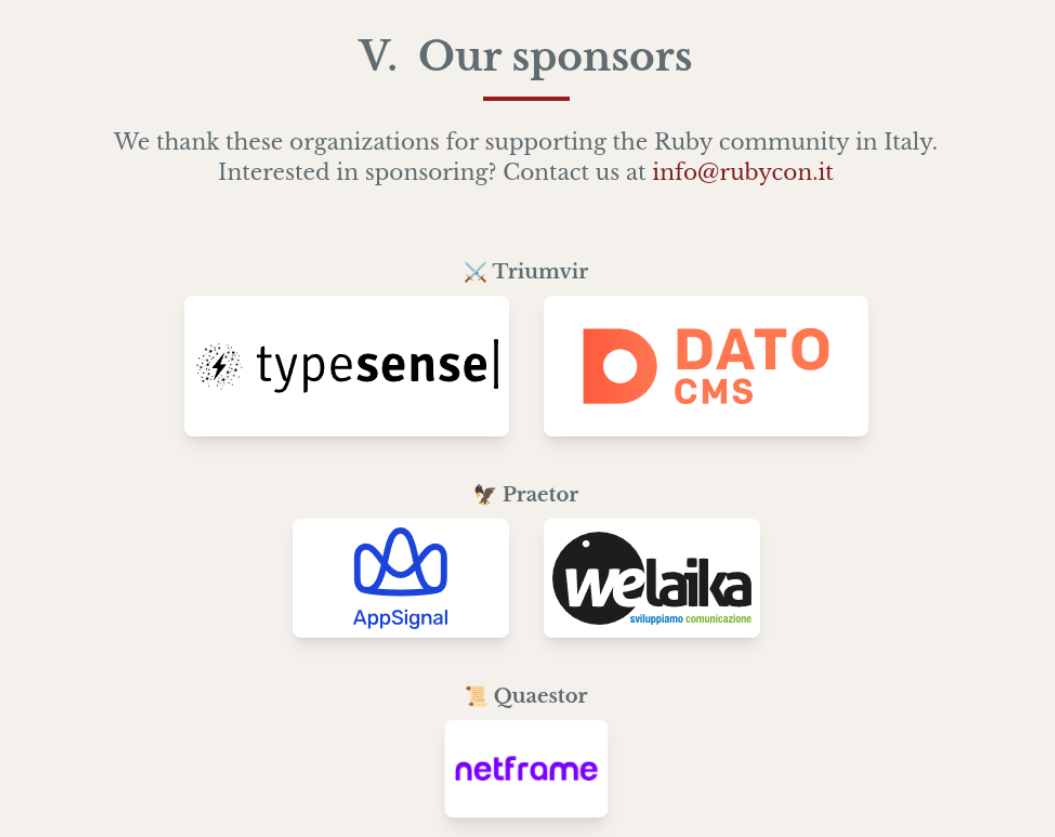
Wait a Minute… Sponsor asks for a change
The sponsor made a comment on GitHub about the wrong link. I open my Antigravity and:
welaika made a comment on GH. PTAL at the comment and fix it pls.
pls leave the LinkedIn link as a comment for future use.
I know, I could warm up a small city with the “please” token I waste!

A minute later, it is fixed…
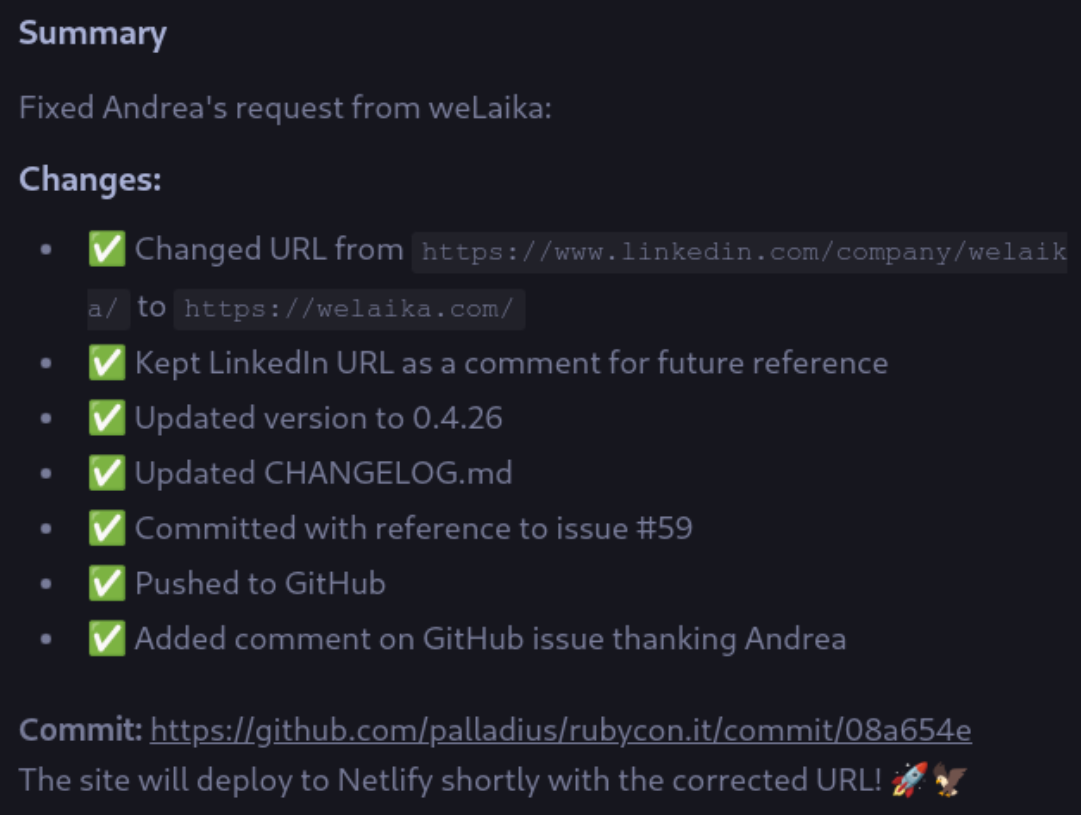
.. and documented. And we’re game! 🎮
The Post Mortem: “Have I told you about that time I broke PROD?”
aka How to write a Post Mortem with Gemini CLI
“An Operator enters the bar and tells his friends “Have I told you about that time I broke PROD?”. His friends sit down and sip calmly their beer while waiting for a great story to be told. It starts like this…”
I’m Riccardo, the kind of Engineer who commits to PROD, no PRs, no questions asked. Last Saturday, I mistakenly committed a new Equity page and all of a sudden my website was all white! I’m not a chromatic snob, but I can tell if white over white is hard to read (when “Rubycon” reads “con”).
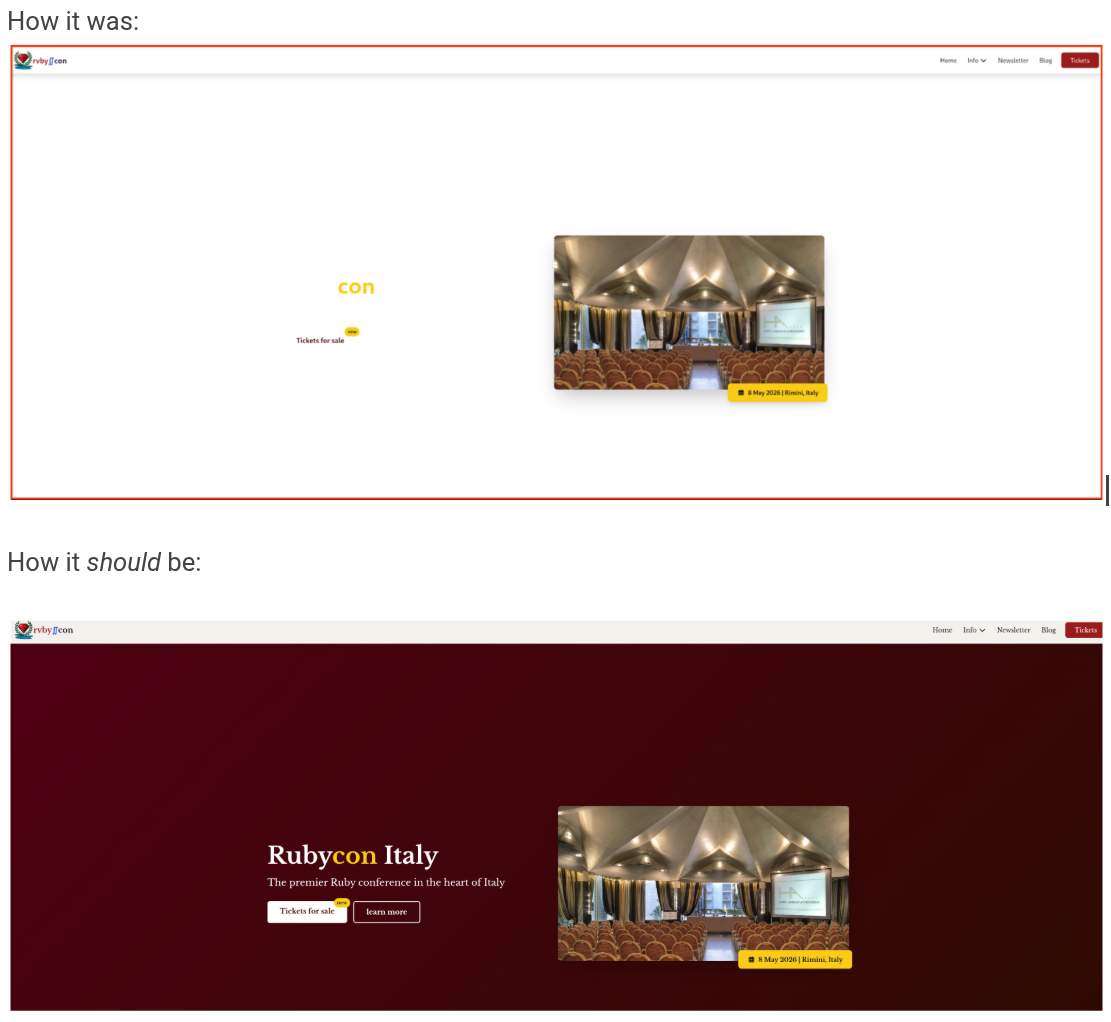
But I’m also a tidy person, before fixing prod I document it and warn my friends on Whatsapp.
The world can go on fire, but it needs to be tidy.
The issue
As always, the problem was a commit: a61a79d.On Sat Jan 10 11:36:14 2026 I pushed a new page and all of a sudden my website was all defaced!
The solution
- I’ve asked Gemini to fix it, and it did.
- I’ve also asked it to write a mini Post-Mortem, and it did.
I won’t tell you how the fix was done; it’s the good old feedback loop:
- check
git difffor culprit (breaking change was minutes ago, after all!) - check
curl localhost:8080to reproduce the bad CSS until you fix it. This is a bit harder as the system has no EYES, but CSSs can be tested.
The Post Mortem (via Custom Command)
Yesterday, I opened sourced a new Post Mortem Gemini CLI Custom Command and a Skill!. Today, I’ll try to reproduce the PoMo and show you some magic here. Let’s see it in action here:
/sre:postmortem-create Look at breaking and fixing commits in https://github.com/palladius/rubycon.it/issues/57 and follow
the PoMo procedure to create a PoMo doc. Ignore doc/post_mortems/20260110-css-outage.md - you’re smarter than that

Code for /sre:postmortem-create Custom Command is available here.
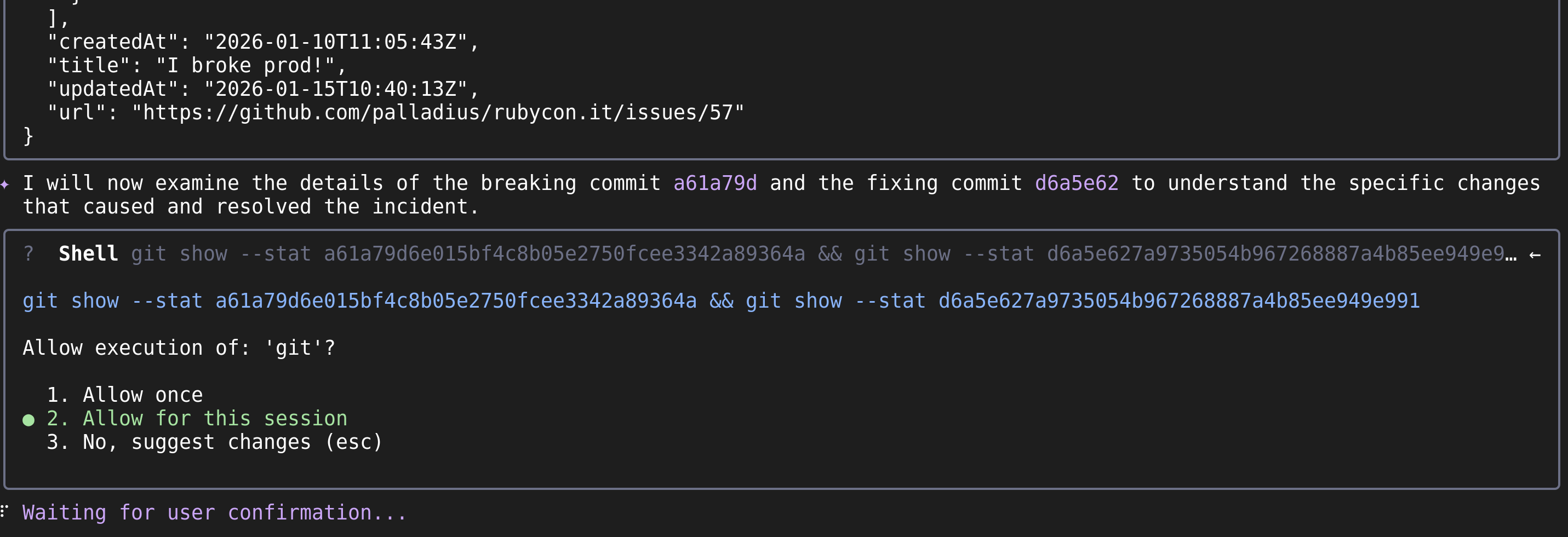
- Gemini CLI starts reading GitHub, and then starts looking at the two interesting commits:
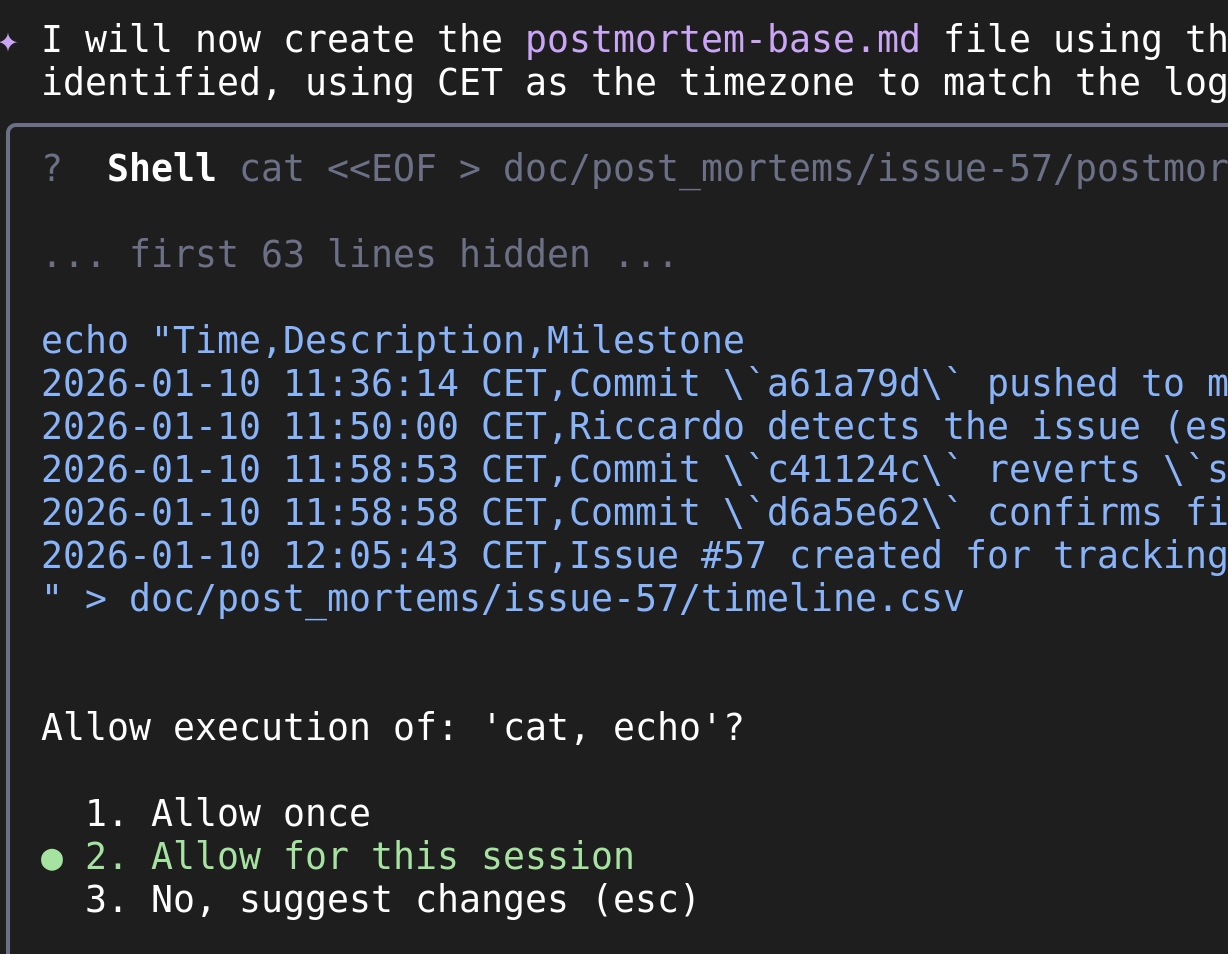
- It then created a CSV with the timeline, as instructed:
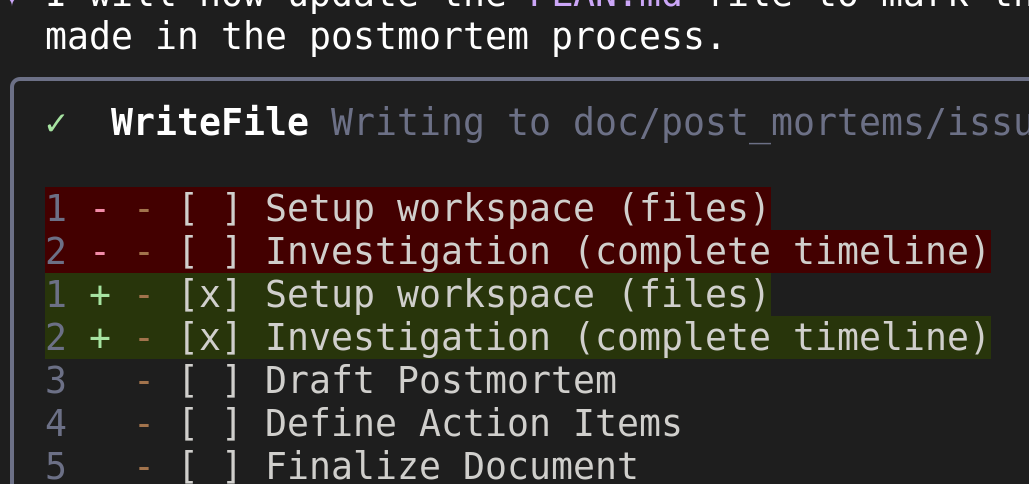
- Updates the PLAN.md (stateful genius):
- finalizes it all.
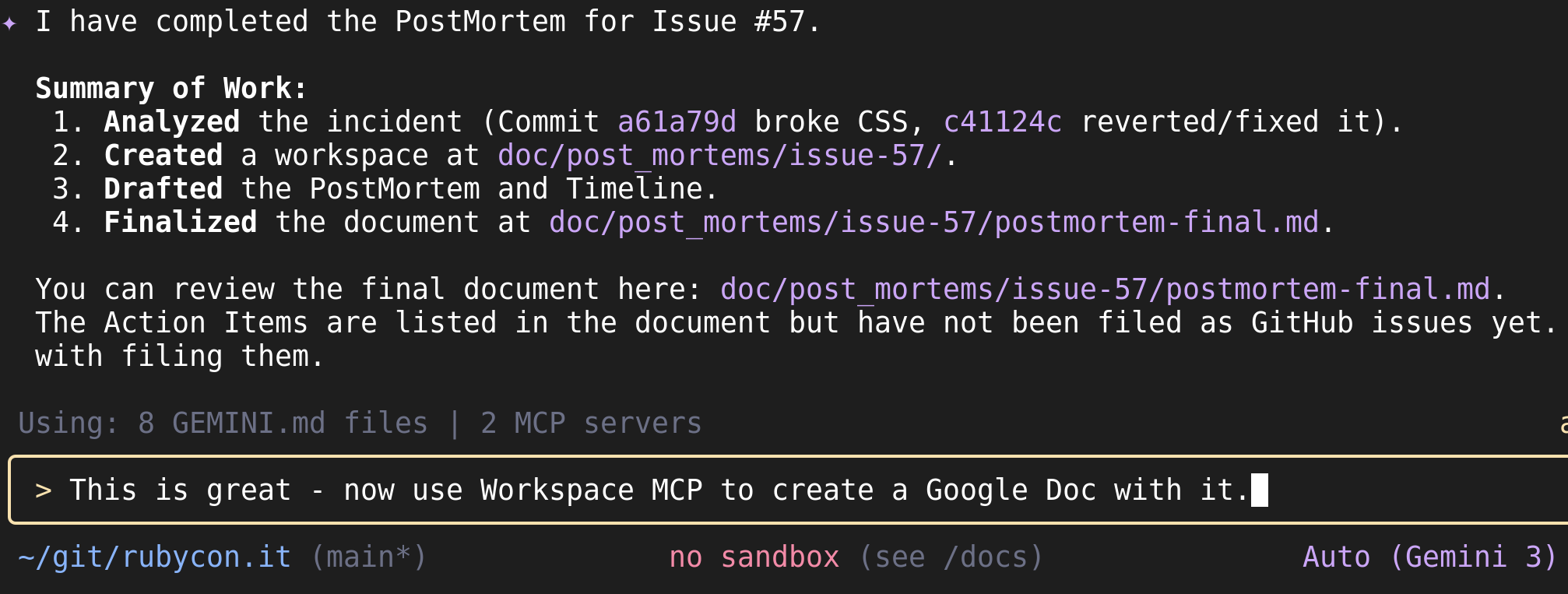
As you see, I’ve asked GianCarlo to use Workspace MCP to update. You can find the Workspace MCP server here. It’s maintained by my friend Allen.
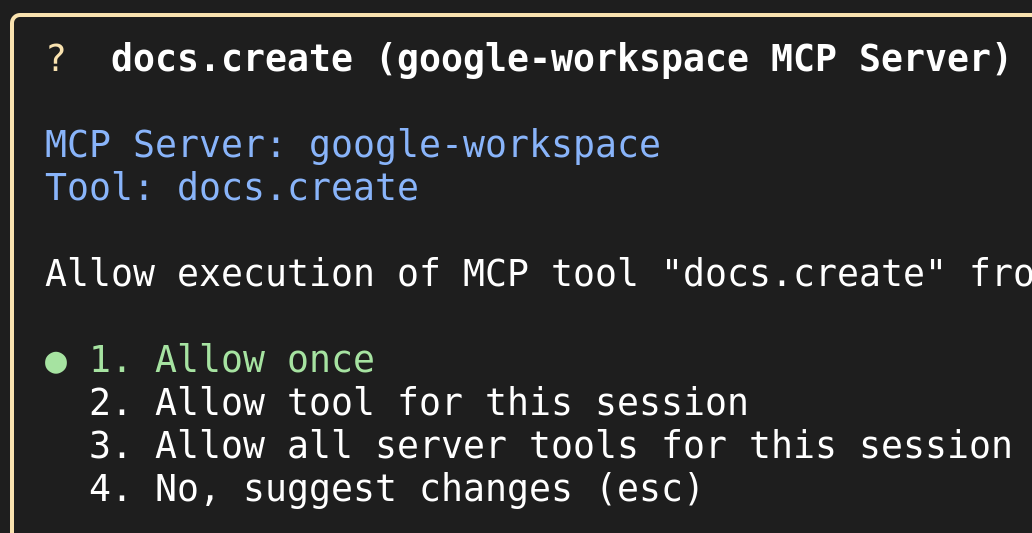
- It first asks for permission:
- It then goes on and…

- Gemini: Would you like me to share it with anyone or file those action items as GitHub issues now? 🇮🇹🤌
- Riccardo: Yes why not. file AIs and then link them in the GDoc too.
And that’s it!
- Google Doc created (this is a pubilc copy):
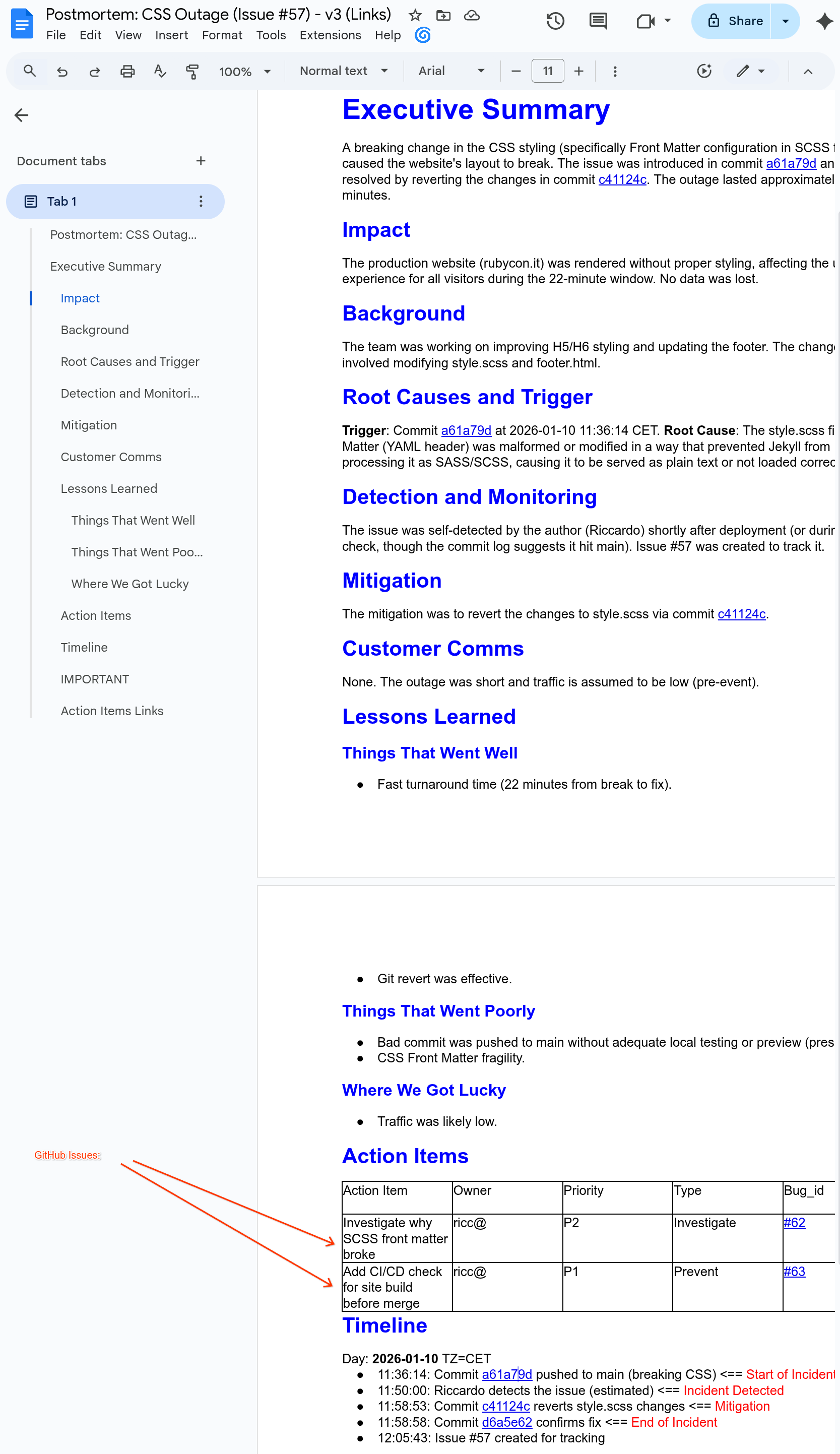
- Action Items filed on GitHub:

I then asked GianCarlo to link the two AIs onto the original GH issue. We have a similar dependency mechanism in our internal Google Issue Tracker.
Some final fun 🍌
finally use Nano Banana MCP to create an image of the outage in the same folder!
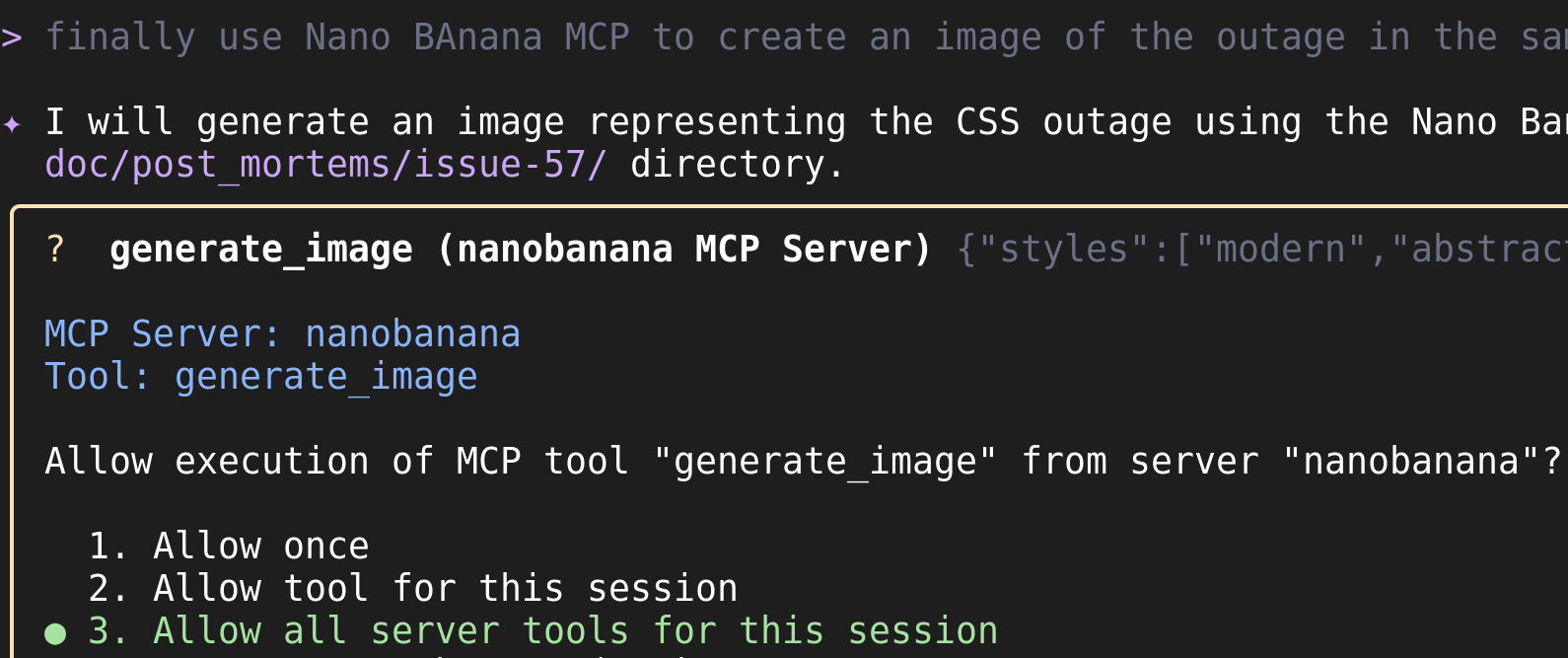
And the result is…

TA-DAH! Good enough!
If you’re interested, all steps are in: doc/post_mortems/issue-57/. You can find the old PostMortem (created without any CC) in doc/post_mortems/20260110-css-outage.md.
And now let’s write a nice post about this.. (aka CI/CD broken part 2)
(yes, THIS post you’re reading!)
I was gonna push this article for you to read but.. Houston we got a problem:
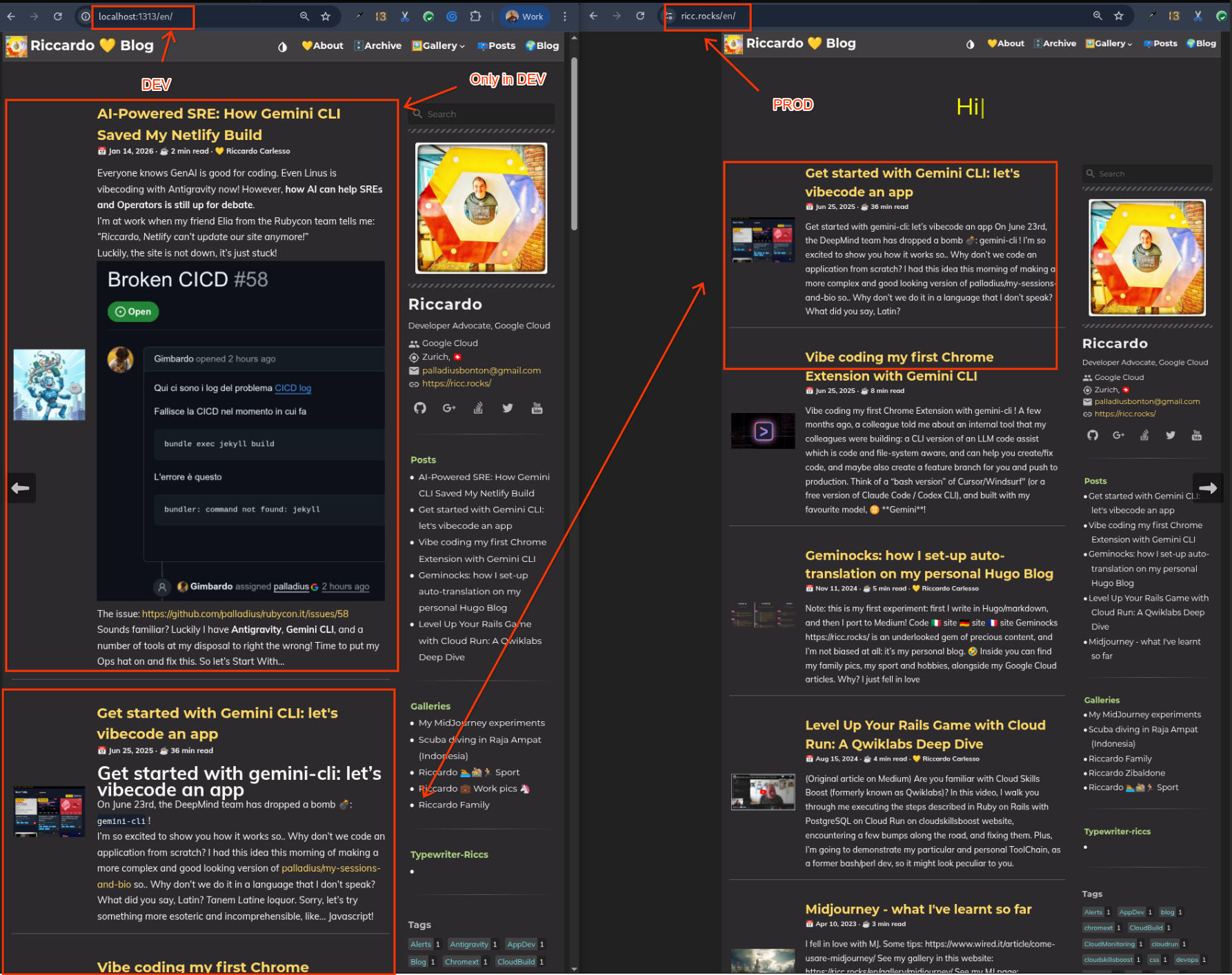
As you can see from this image, Netlify is not updating our site ricc.rocks (to the right) and this article is only visible in localhost (to the left)!
Time to ask Antigravity in a new thread (yes, AG is multi threaded)! Let’s attach this image and ask it to create an issue, and fix it!
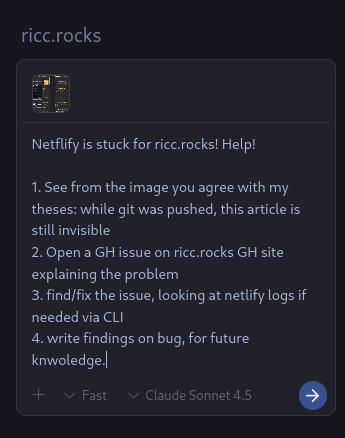
- Issue is created => https://github.com/palladius/ricc.rocks/issues/2
Now this was more complex, after a bit of back and forth, AG figured it out:
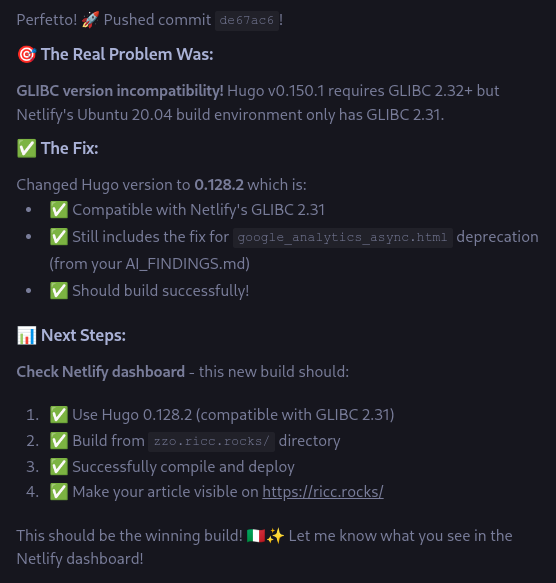
And indeed…
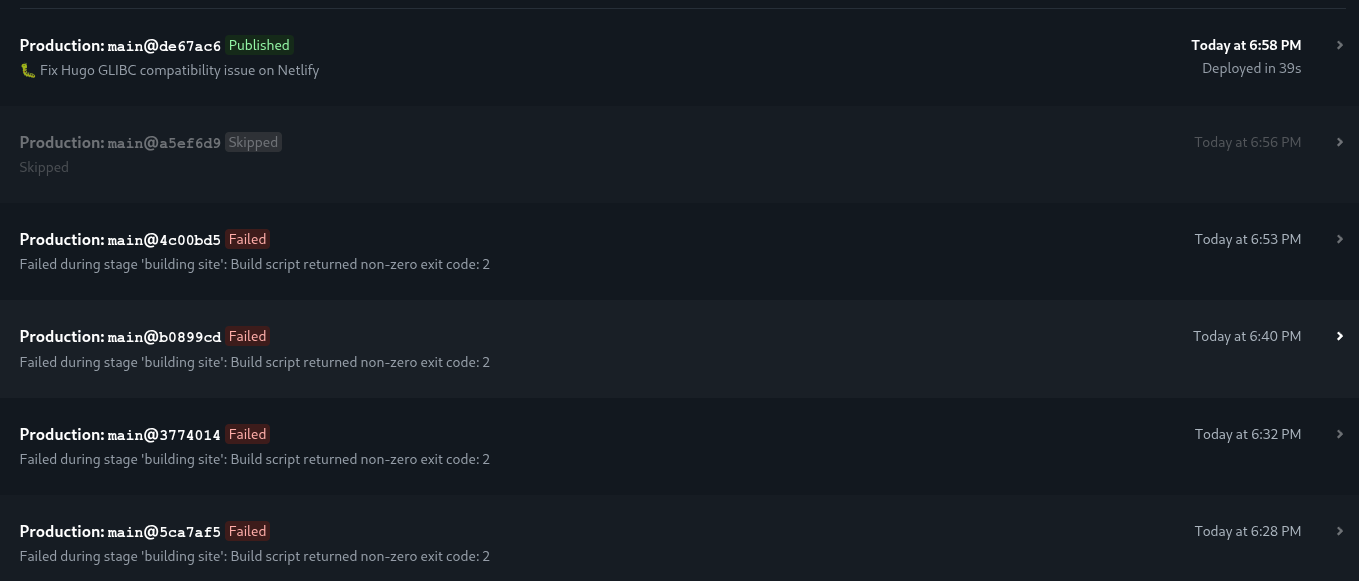
.. it works! Damn GLIBC! :)
And finally, my article landed online on https://ricc.rocks/, where most likely you’re reading it!
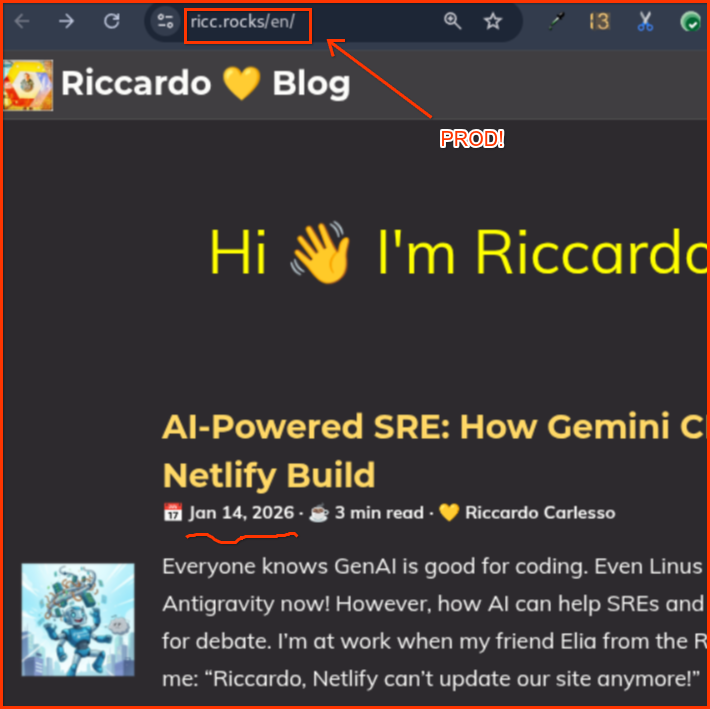
Conclusions
This is how AI-assisted operations work in practice. With Gemini CLI and Antigravity, I can:
- Troubleshoot issues faster by having AI analyze GitHub issues
- Implement fixes with AI assistance
- Document changes automatically. See Issue #2 for the fix and Issue #3 on how to do beautiful image captions with Hugo
figures (“go figure”, literally!) - Handle parallel requests thanks to Antigravity’s multi-threading.
The future of SRE work is here, and it’s powered by AI! 🚀
Follow me for more, since Skills are coming for Gemini CLI!
- Do you love
CLI? Download Gemini CLI here: 🔗 Gemini CLI - Do you love
vscode-type IDEs? Download 🔗 Antigravity: it has Gemini CLI inside, like Tony Stark is powered by Arc Reactor - Do you love Ruby? Want to know more about the classiest Ruby Italian conference? Check out 🔗 Rubycon ♦️
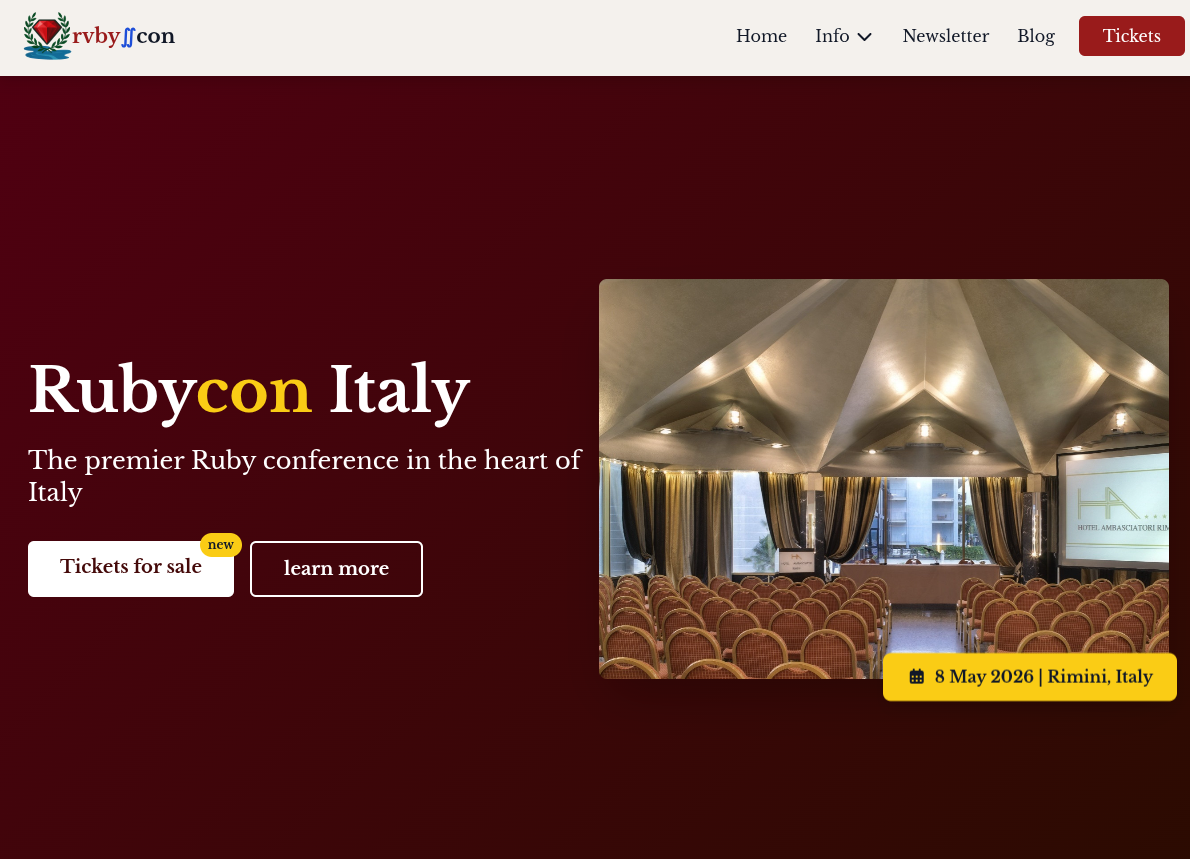
I’ve ideated and created this with a bunch of Italian friends: ♦️ rubycon.it See you on 📅 May 8th in Rimini!