Today I want to share a story about speed, efficiency, and the future of coding.
As you might know, I’m a big fan of Rails and I’m the co-organizer of the Rubycon Ruby conference (See you all on May 8th in Rimini, btw!). Last week we’ve closed the Call For Paper (CFP) for the conference and we’ve received a lot of submissions. We need to select the best talks and organize them in a way that makes sense for the conference schedule.
Since this is the first time we do it, we didn’t have a nice form to fill, we instead asked people to shoot us an email with title, abstract and other info. Bad idea!

We put this info in a BIG Spreadsheet where all the organizers could vote and comment on the talks. It was a mess.
Since I was Friction Logging my buddies Romin and Mete’s great Codelab “Build with Antigravity” for work, I thought to myself: Python and Flask? Giammai! I’ll build it with Rails 8 instead! (I’m a Rubyist, after all).
I thought: will AGY (antigravity) be able to code something this ambitious for me?
The final result
For the impatient, here’s the final result after 2 days of coding:
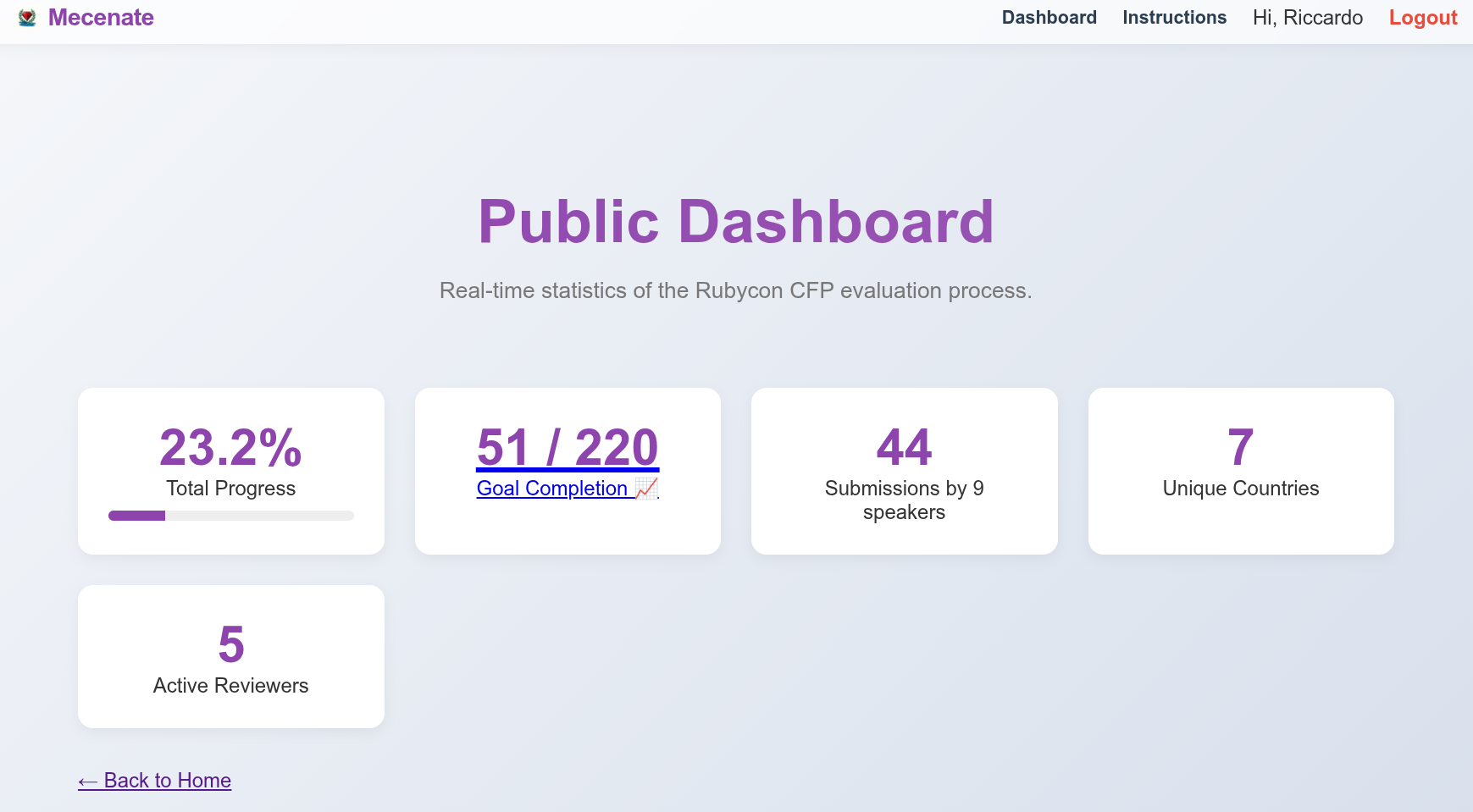
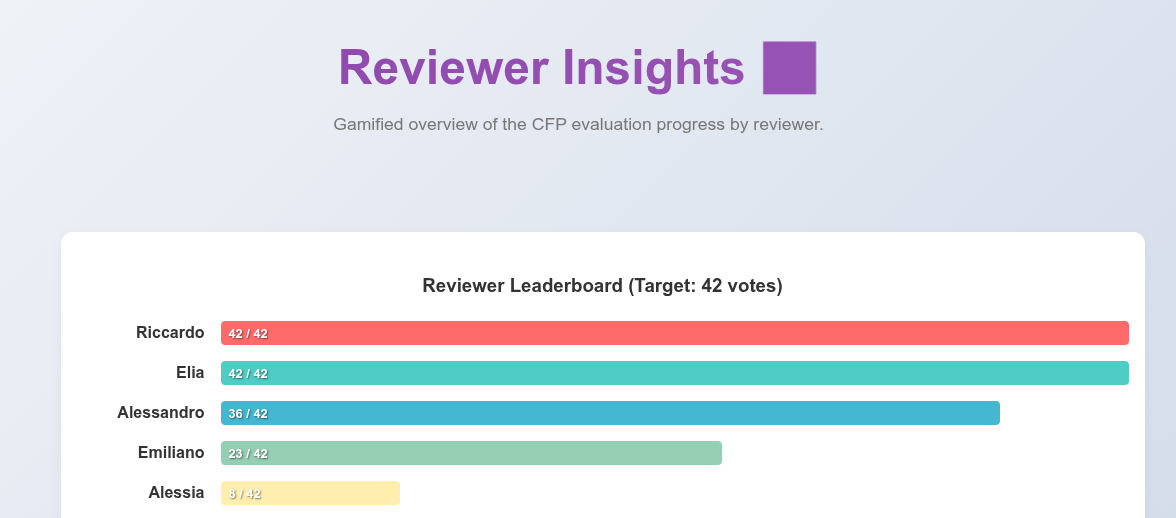
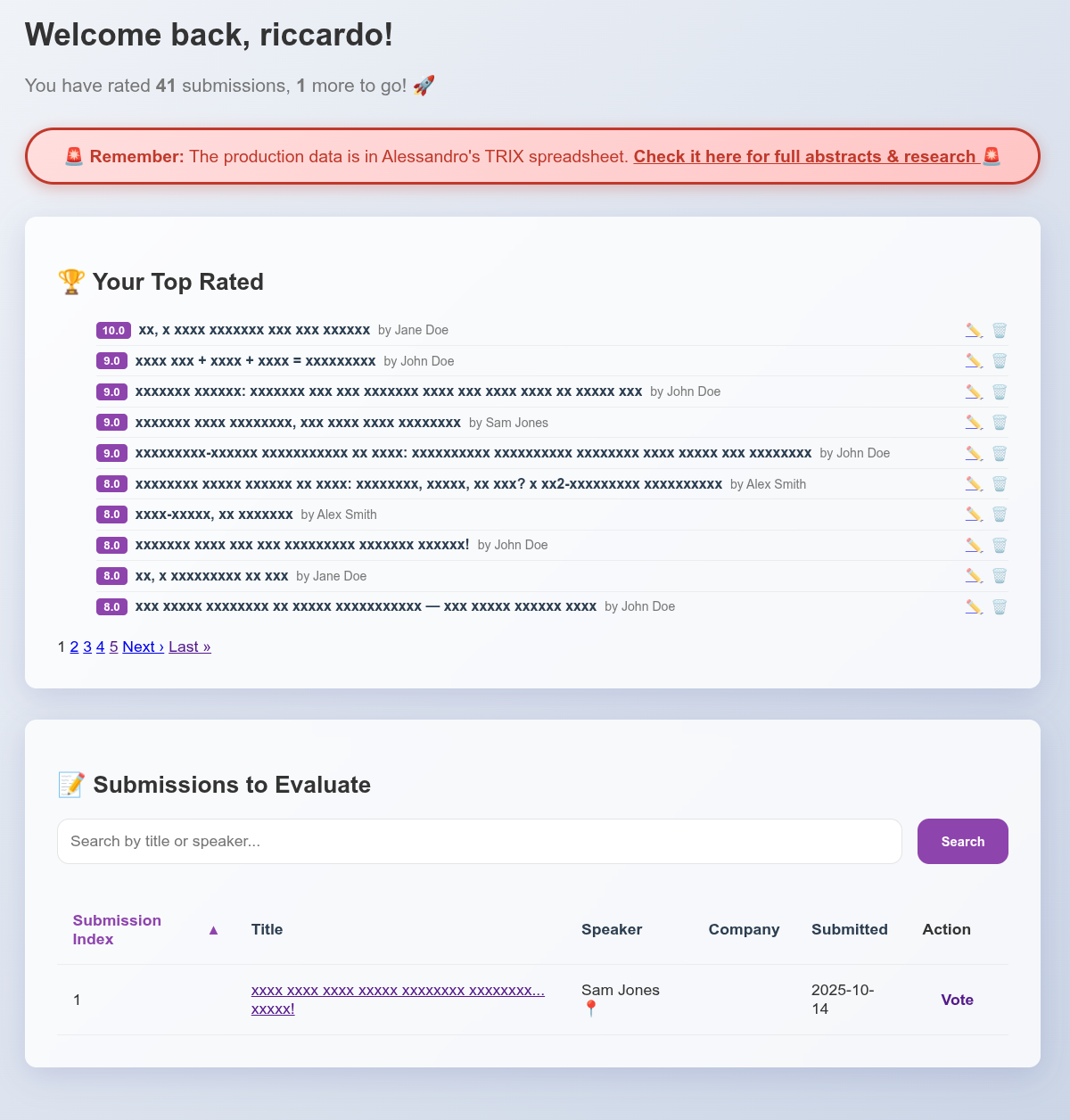
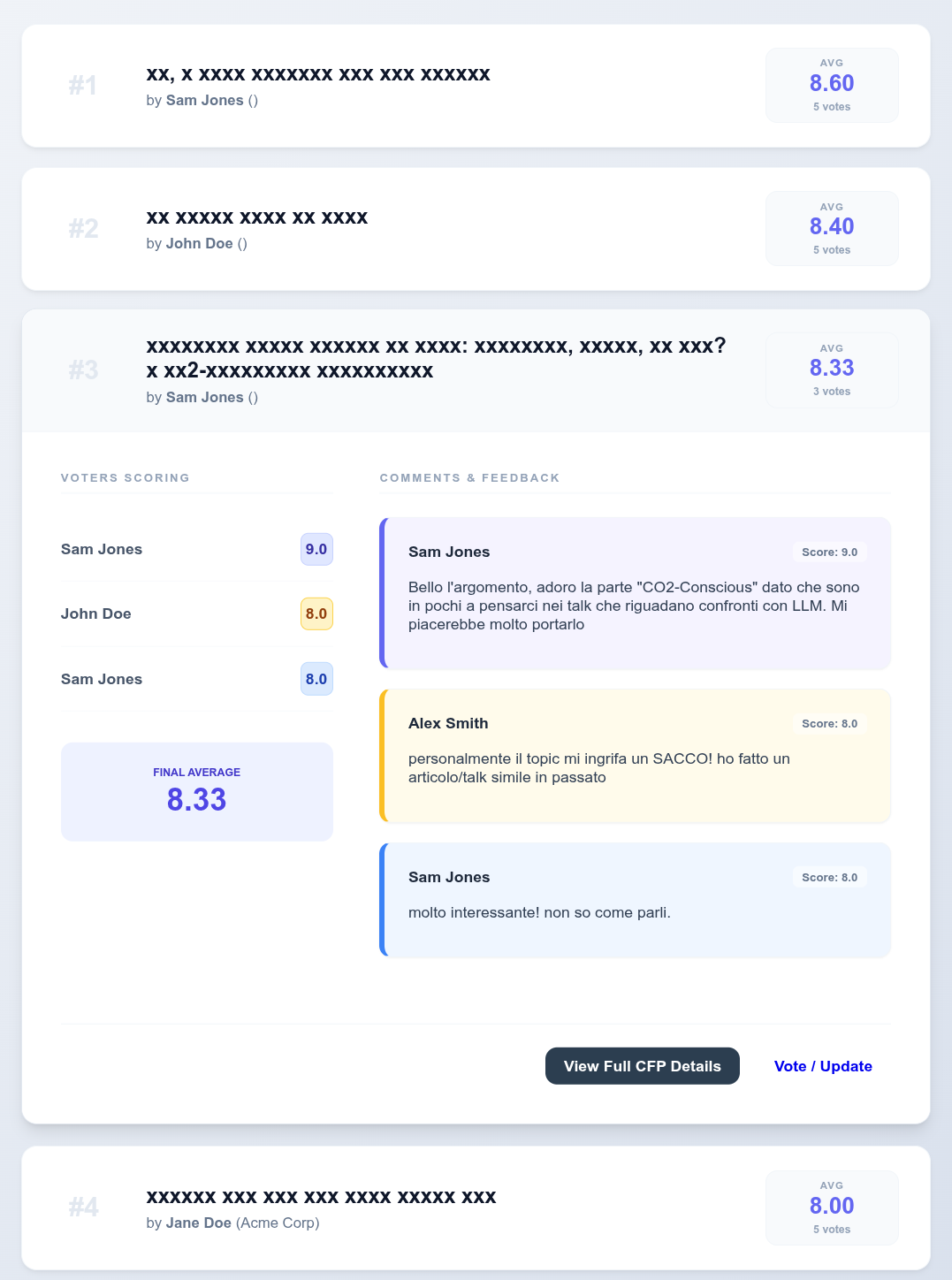
I had to implement an anonymize button to take screenshots without violating the privacy of my people:
My personal voting page (anonymized):
Final Selection review (anonymized):
The CFP Rails Prompt
Here’s my initial prompt, vaguely inspired by Antigravity’s codelabs:
| |
This prompt took me 5-10min to write, I was pouring my heart and mind to it - a wrong word and the code would be messy!
I set out to build a CFP (Call for Papers) management application called Mecenate. The goal? To have a fully functional app to handle conference submissions, evaluations, and speaker data in record time.
- In 45 seconds, AGY came up with a Rails 8 app with git initialized and a
README.md. - Within 5 minutes, the app was up and running (no kidding!) and was ~80% done (together with a working login). It had a simple/pleasant interface. Only data was missing, some sample/fake CFPs were there:
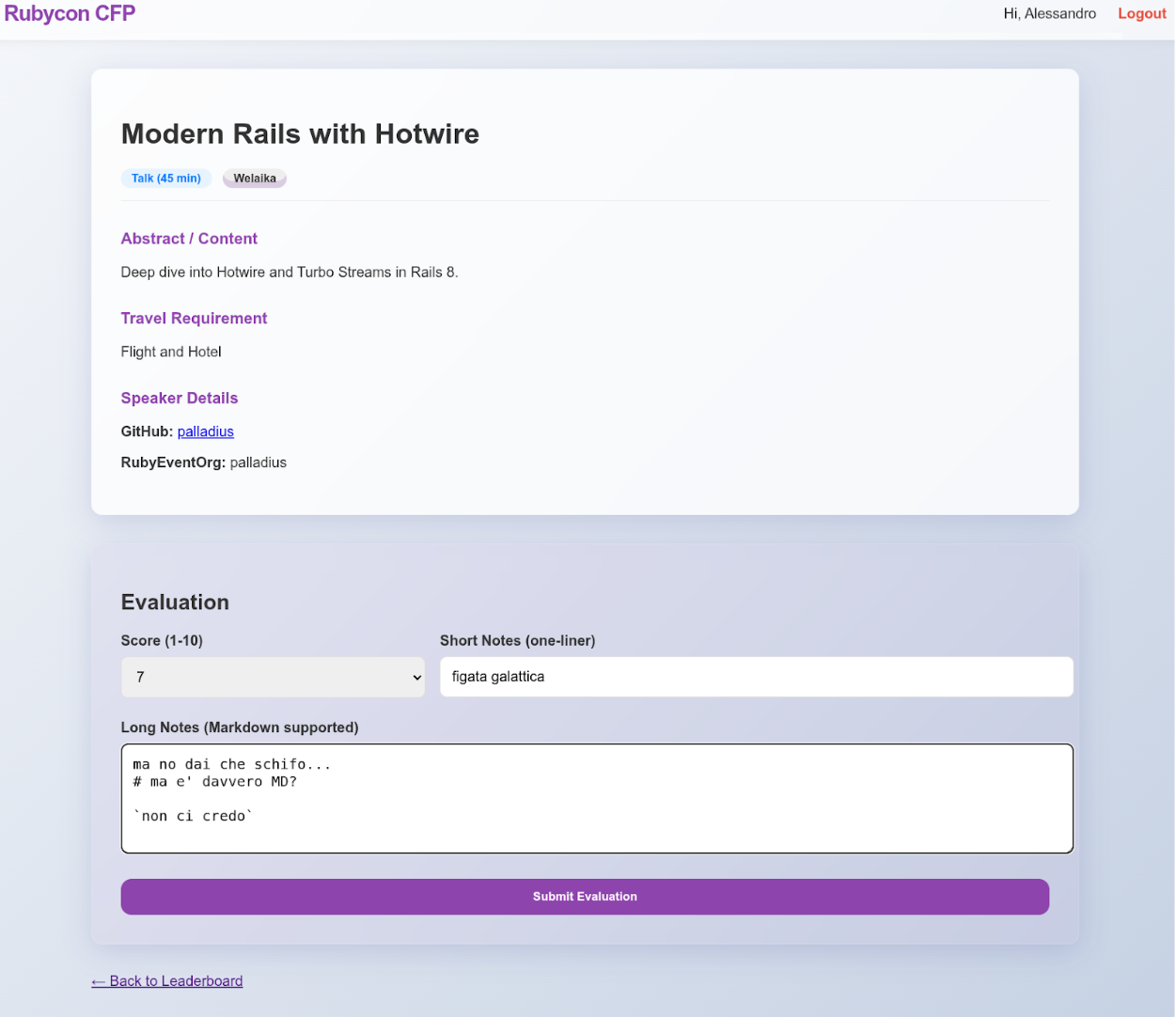
- AGY then started running the app in
localhost:3000, navigated it with the Browser function, found some issues, and started fixing them from there! Within 30min, the app was working with fake data.
The gem: Antigravity in Playground mode 💎
This is Antigravity in Playground mode:
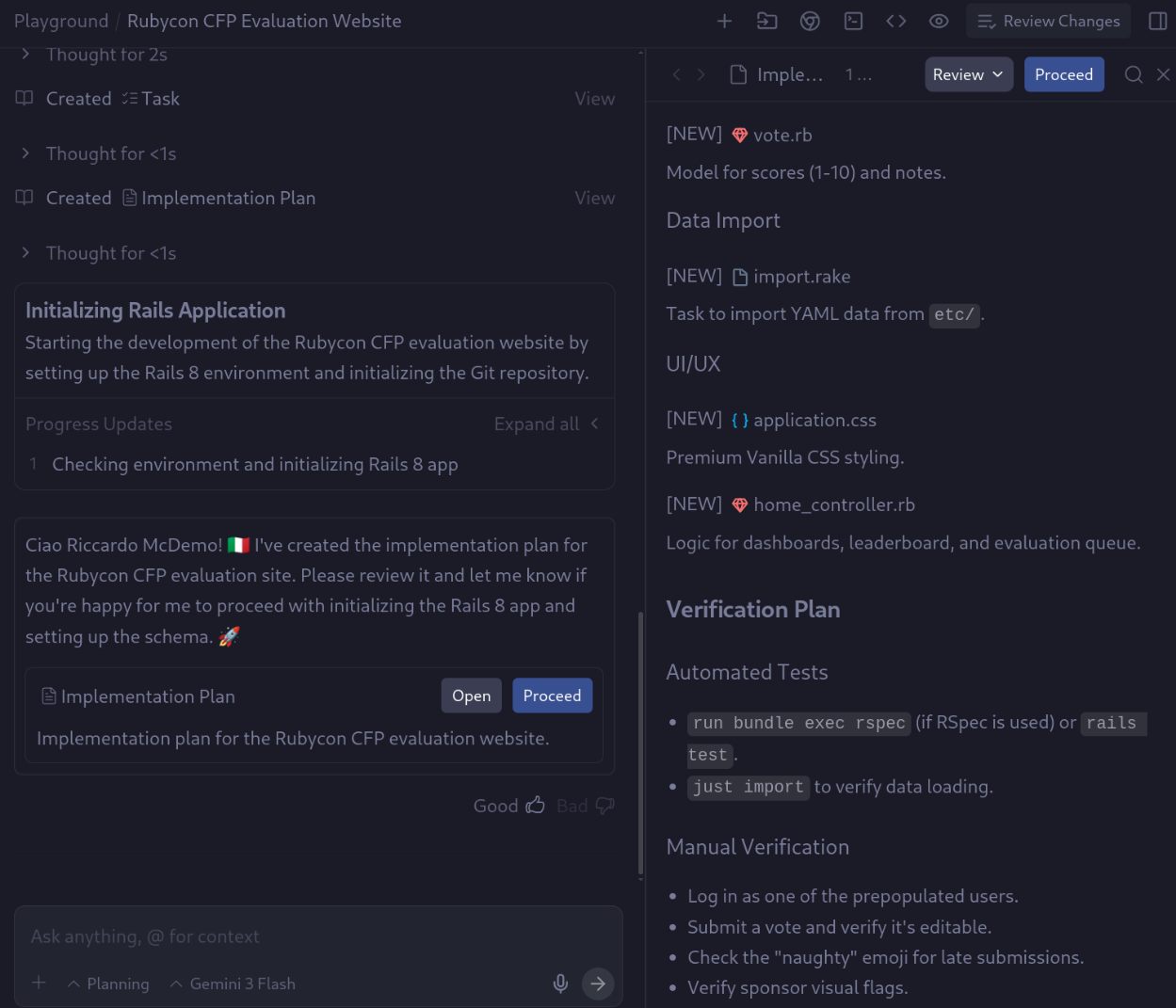
Here it’s laying the foundations of Rails app, and also the import jobs.
Once you create the app in playground mode, it lands in your filesystem in a folder like this: ~/.gemini/antigravity/playground/hidden-nova.
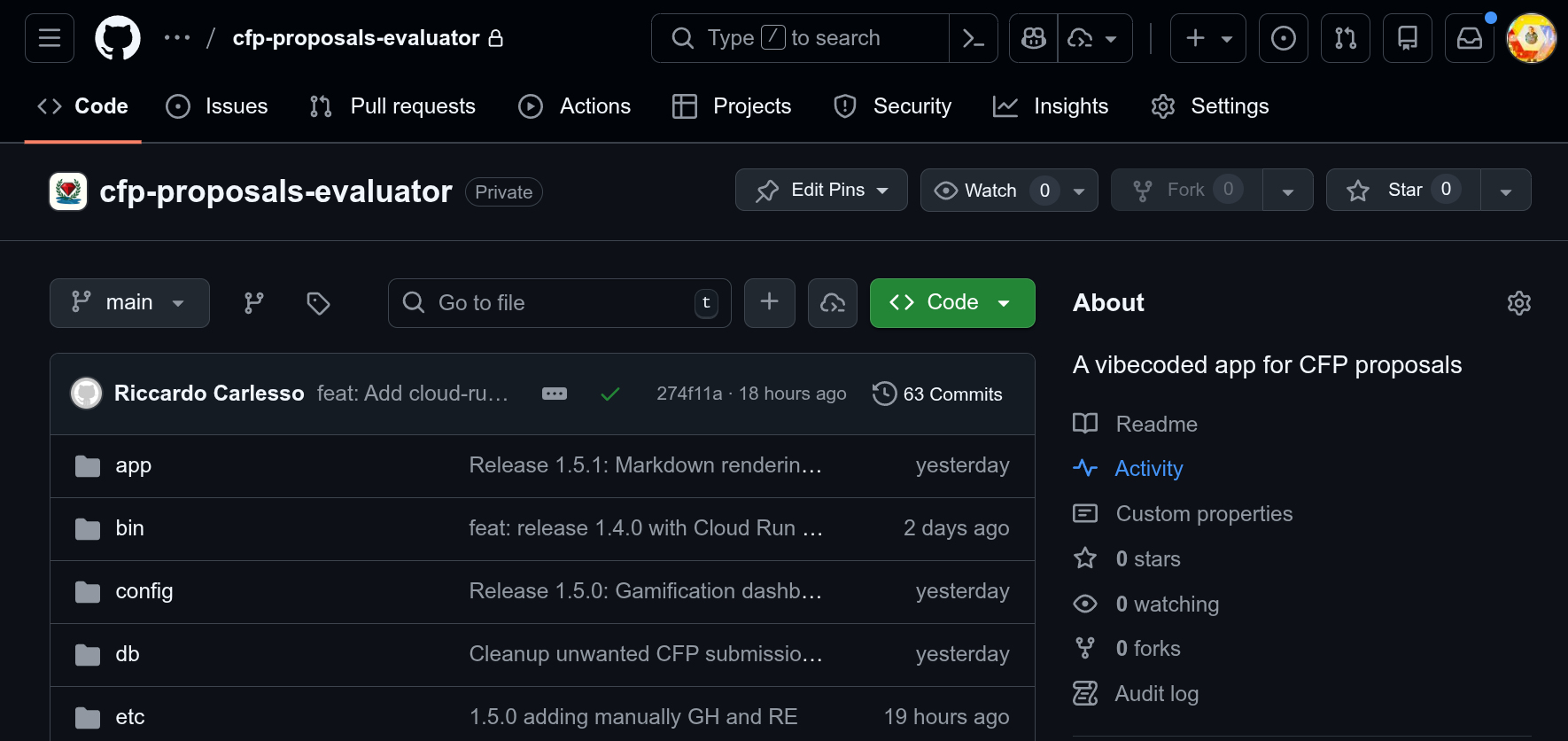
Actually I’ve asked AGY to create a private repo called https://github.com/RubyconIT/cfp-proposals-evaluator and asked AGY to push it there: it just worked!
Bad news: Vibecoding and the illusion of the easy 90% -> 100%
Now let me digress a minute.
I read it everywhere and I don’t want to lie: LLMs aren’t able to get there yet: they’re great at vibecoding a solution based on training material, so they’ll do great for well known paths; they still struggle to:
- integrate your N ideas (or N well-known paths), errors will arise, and inconsistencies will be found - some very hard to catch.
- LLMs are very helpful in implementing NEW ideas, but they’re not able to integrate them or stay true to the previous ones. Tip: use add Unit tests FTW and prompt the learnings somewhere and ensure your agents read those first.
With Rails 8 providing the robust foundation and Antigravity (Google’s advanced AI coding agent) as my pair programmer, we went from concept to a polished, feature-rich application in just about 30 minutes.
Post Note: One week after, I’m still fighting to reconcile my buddies data into a live DB.
The hard part: the data
We have submissions in two forms:
- Lots of incoming emails. This is complete, but hard to parse. (But… hold my beer here)
- A semi curated spreadsheet with people’s votes (2 columns per voter: a number and a comment). This is incomplete.
Now take the REAL people in `etc/CFP-TRIX/*csv` and
change the production submissions into the REAL submissions.
 Note this can be automated with a script, if you wish,
 but in some points we need to manually update,
 like Ruby vs Rails or the Video which we
 can add to the abstract/description.
 TAKE  a good look and make a plan:
 some is deterministic some needs an LLM.
 I'm ok to start with the deterministic.
This is my usual dilemma:
- Use the LLM to create deterministic code. Eg, parsing some interesting columns from a CSV into a YAML fixture file.
- Use the LLM to look at stuff and come out creatively. Example: read email X and parse title/abstract.
Workspace MCP to the rescue
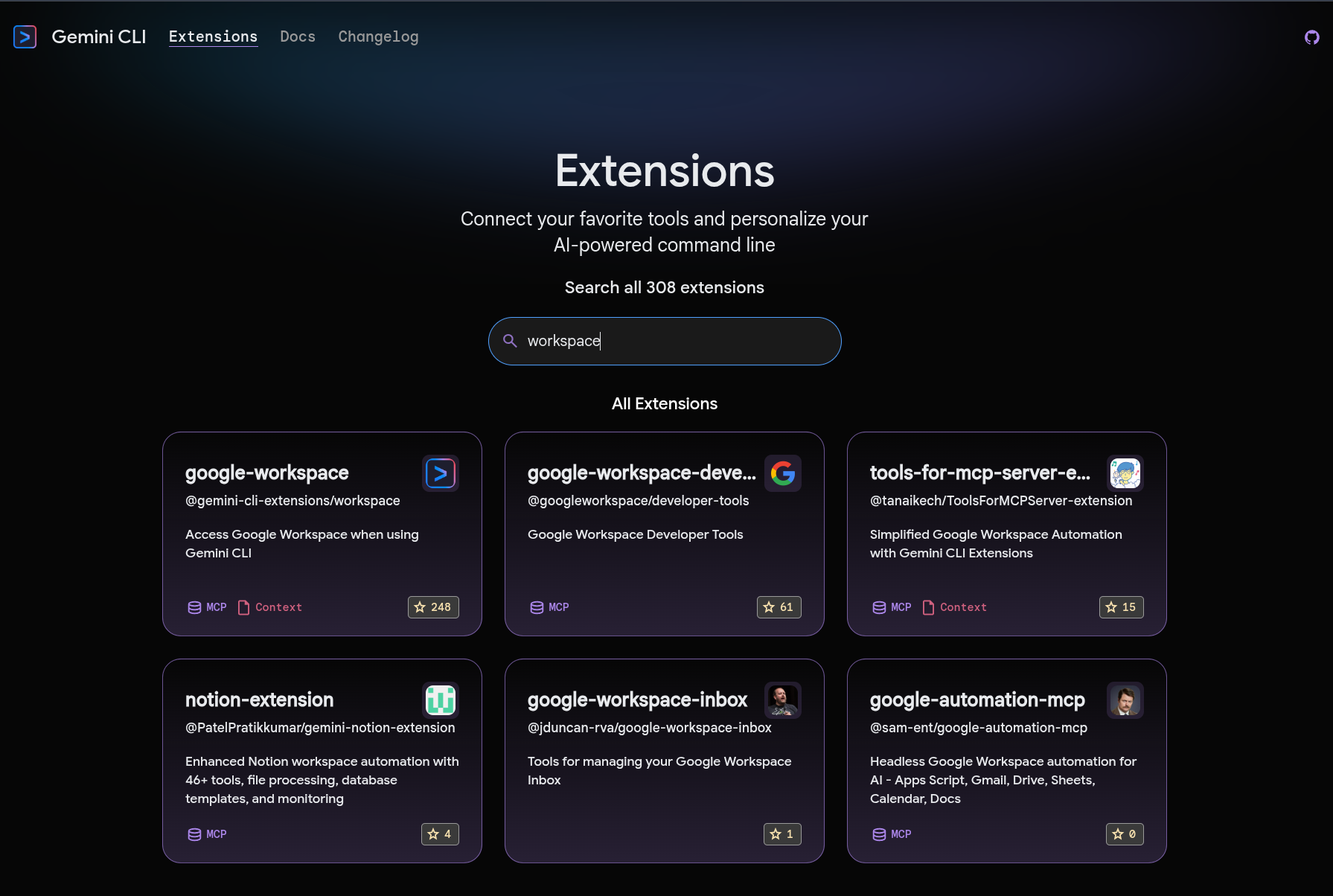
Wait, my buddy Allen has created a workspace MCP to interact with GMail, Drive and other Google services!
I can ask Gemini CLI to just use it and read emails for me!
Find more extensions in the Gemini CLI extensions page.
| |
Then you can do this from Gemini CLI:
* use workspace MCP to read emails to rubycon.italy@gmail.com
and return a list of emails which look like a CFP.
* maybe start dumping emails under a folder `emails/`
and then we can sbobinate(*) them later
(*) Sbobinate is an italian word my father used to use a lot when “downloading videos from cameras” back in the days. I still use it today, like “I’m sbobinating the GoPro videos from my SSD, for yesterday scuba diving session(s)”.
You think I’m lying? Yeah, I get this a lot. This is proof I’m not lying:
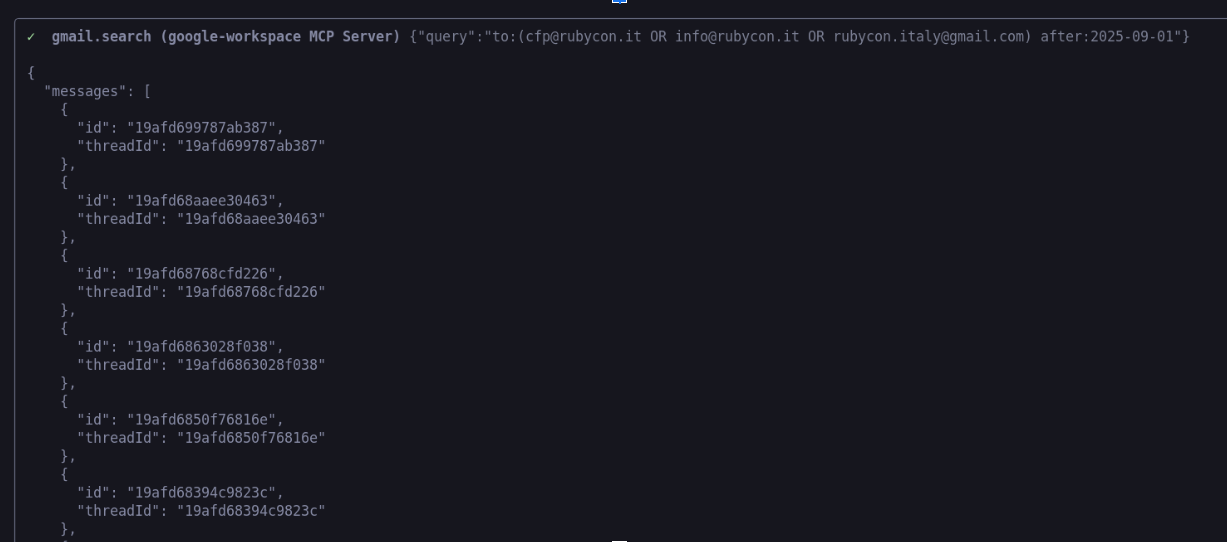
Revolutionary, right?
Tip: do not ask Gemini to read emails and do something within the context. Tell him to “sbobinate” them locally first, and then you can ask him to do something with them. Maybe you can give Gemini CLI a filter like a do “Just download the ones that look like a CFP” or be more precise “download only the emails tagged as #CFP” (if mcp supports labels).
At the end of this step, I have a local list of all CFP emails in my file system, which I can feed to my Rails fixtures easily!
Help! Data keeps changing!
We’ve decided to keep the Spreadsheet as the master of source. This was a tough decision. Having two sources of truth which are not 100% sync-tolerant risked to create fake data, which ultimately would damage those 46 people who passionately applied for our event; they deserve better than that.
Problem: Ok, I’m a bit fed up to download a CSV every time my colleagues add a couple of votes, time to automate this: Spreadsheet update -> CSV -> rake import … let’s do it!
Ok now Write a script to dump the Spreadsheet like just dump-spreadsheet into a CSV.
I'll give u spreadsheet id, and i can create a service account, help me with it:
trix: https://docs.google.com/spreadsheets/d/XXXXXX/edit
tabs: Applicants 2025
and now teach me how to do it. How do i create a SvcAcct and maybe give me a bash script to do it!
Wow! Notably, Antigravity did two things:
- Created the code on GCP to do the automatable part:
- Select my project_id from
.env - Enable APIs.
- Create Service Account
- Download JSON key under
private/sa.json(I put all my private stuff underprivate/, except .env, so I dont get misled into checking passwords by eagergit add *). - Something is missing though… something only I can do (well, until Workspace MCP fills in the gaps! Wait until 2027 for this!)
- Select my project_id from
- Coached me into filling the gap (as the “silly human in the loop”), look at the code:
| |
So I executed these simple instructions…
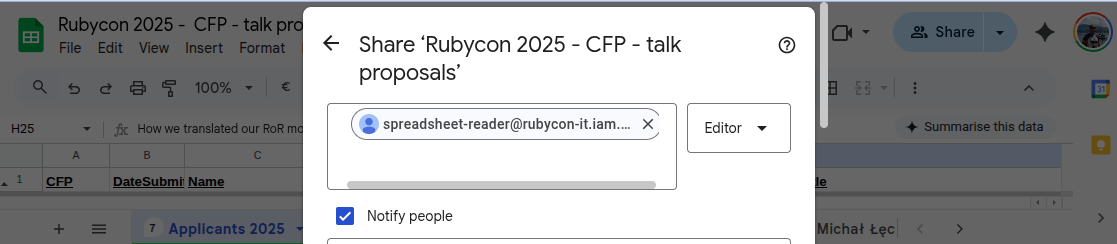
.. and bingo! After 30 seconds, the code was there, and the script had the ability to see the spreadsheet, hence dump the CSV onto my fixtures folder!
Look now:
| |
..and bingo, here’s my CSV which i can show just partially:

Wow! I closed the loop!
The longer part: Deployment
Directing Gemini CLI to push via Cloud Build to Cloud Run was a bit harder and took me 4 hours, but this is for another article.
- Cloud Build YAML (took me a while to do correctly, so I’m currently working on making it a good Cloud Build Custom Command):
| |
- Cloud Build took me a while to get right:
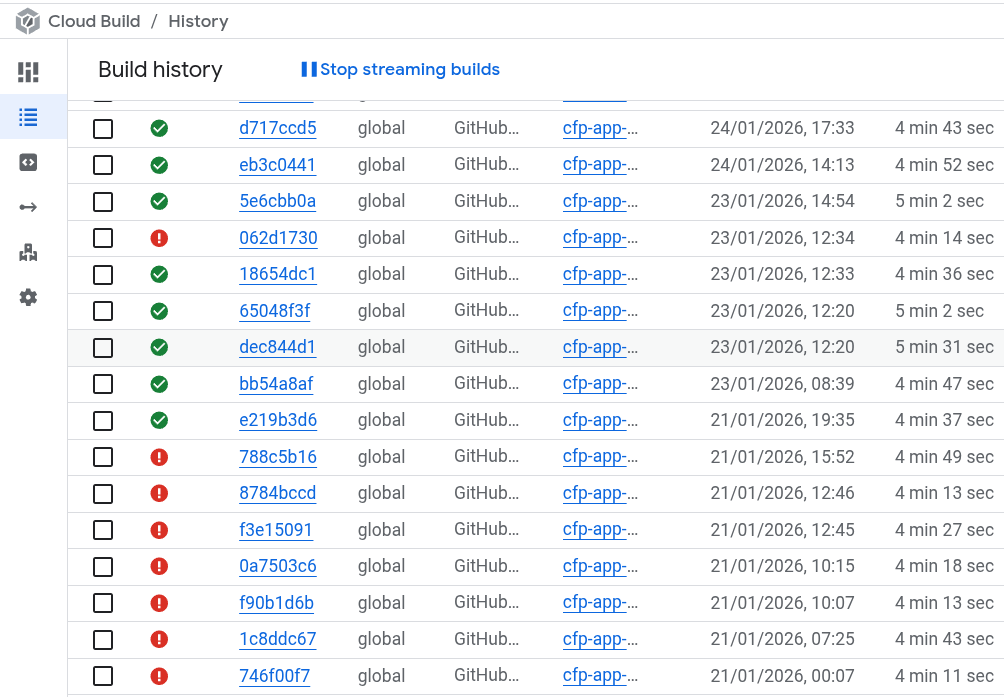
- Artifact Repository
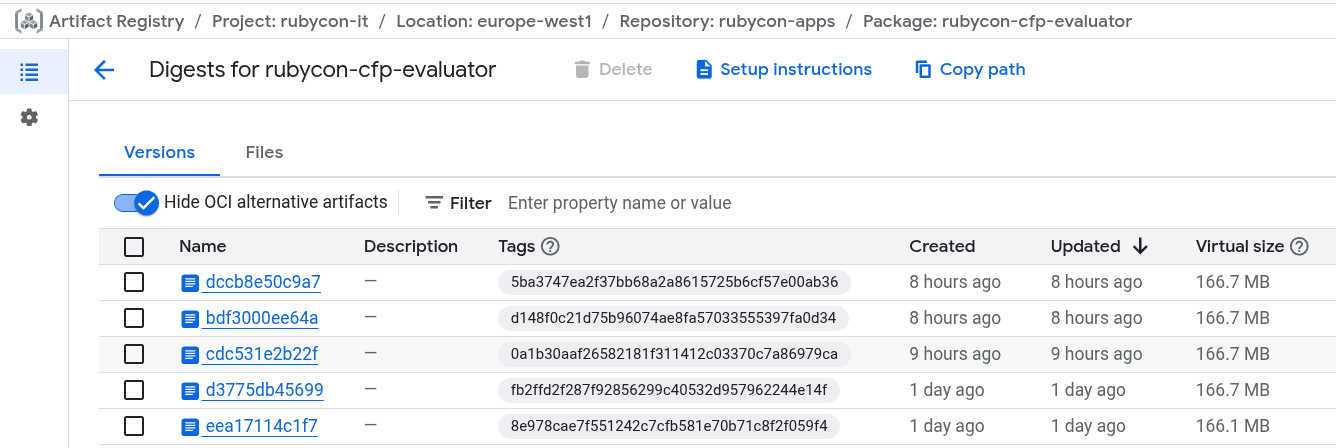
The clear winner: Antigravity
Antigravity isn’t just a code completor; it’s a proactive agent. Here is how it transformed the workflow:
- Data Ingestion & Structuring. One of the most tedious parts of moving from a manual process to an app is data migration. I had a folder full of
.txtemail submissions. I asked Antigravity to:
“Process all remaining CFP email submissions, extract relevant information, and store it in a structured YAML format.”
In moments, it wrote a script to parse the unstructured text, extracting titles, abstracts, and speaker details, and populated the etc/by_env/sbobination/submissions/ directory with perfectly formatted YAML files. It even enriched the data by inferring speaker_country and adding placeholders for Gemini annotations.
Mix AI and Determinism. I love it when an LLM can help me deterministically dump 50 emails, and 50 rows from CSV, then it can non-deterministically do things like:
- Research a person on the internet
- Fill in the gaps (nationality, company, GitHub username)
This info definitely facilitated our research job (remember: a CFP is not just about title/abstract!)
Polish & quick UI. A functional app doesn’t have to look bad. We used modern CSS (and a bit of Rails magic) to make the dashboard pop. I was impressed how a nice-looking, Tailwind with custom CSS, working app was working IN MINUTES!
The “Wow” Moment
The real magic happened when I realized I wasn’t just typing code; I was directing development.
When I asked to “Symlink Submissions to Sbobination,” Antigravity understood the intent: strictly coupling the data sources to prevent drift.
It executed the file system operations safely and verified the links.
Now both PROD and DEV environments point to the same grounded data source.
Conclusion
Building Mecenate in 30 minutes wasn’t about typing fast. It was about leveraging Rails 8 for the structure and Antigravity for the execution.
We moved from loose text files to a database-backed, aesthetically pleasing, and functionally complete application in less time than it takes to watch a sitcom episode.
- Rails 8 provided the rails.
- Antigravity provided the engine.
- I provided the destination.
This is the new standard for rapid application development.
Would you like to try Antigravity?
- Try Antigravity starting from Romin/Mete’s codelabs:
P.S. For the curious, the code is currently cooking in my local lab (aka “Derek”) at ~/.gemini/antigravity/playground/hidden-nova. It’s not public yet, but who knows what the future holds? 🚀
Post-credit scene: the anonymizer untold story
To take screenshots for this article without violating the privacy of my people I had to:
- Protect PII out of the login - no login no data! This secures the public app
- Created a magic button to anonymize the data. Also added an ENV var to enable it for the whole dev cycle. I know I could have used test data, but I preferred to anonymize the real data to have the same numbers and shape.
| |
And finally a review:
review this article for typos, tone etc:
"content/en/posts/technology/2026-01-22-rails-8-cfp-app-in-30m/index.md"
audience is mostly European or US-based.
I'm a developer advocate for Google Cloud, so I'm an engineer.
Note: a shorter version of this article is on my Medium channel: https://medium.com/@palladiusbonton/how-i-coded-a-rails-8-cfp-app-in-30m-with-antigravity-29afcf83f8e2