Worktree multiagent dev flow with Antigravity
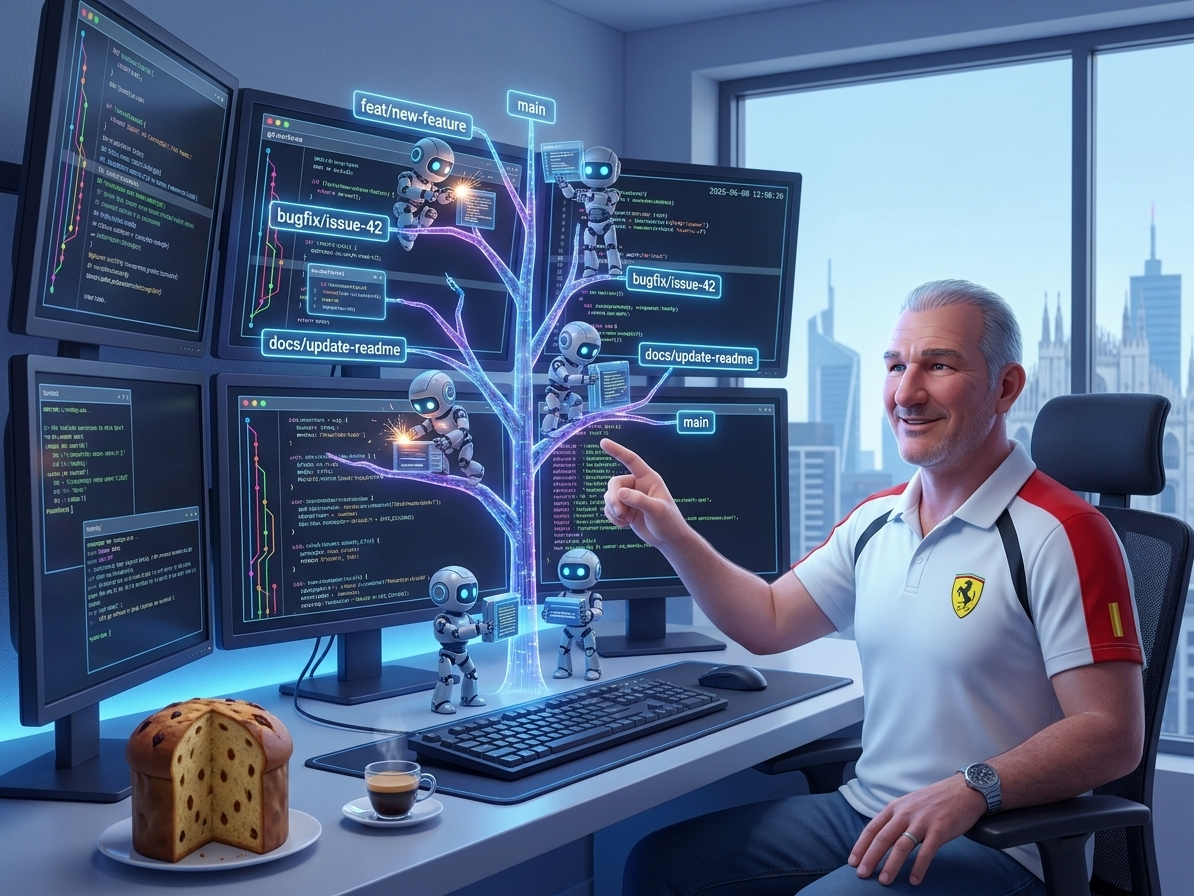
Alexis said ‘This is the year of Agent orchestration’: I couldn’t agree more with him! If 2025 was the year of the AI agent, 2026 is definitely the year of… AI Agents!
I have two Linux computers, and two Macs, and each has six desktops. In each desktop I have 1-2 running harnesses, and sometimes a vscode instance to edit code. Yep, you don’t want to see me CTRL-ALT-TAB babysitting 6-12 harnesses at a time. Which is, btw, why I started the E. Morricone AG project (emorr-agy) last week! To make sense of this craziness.
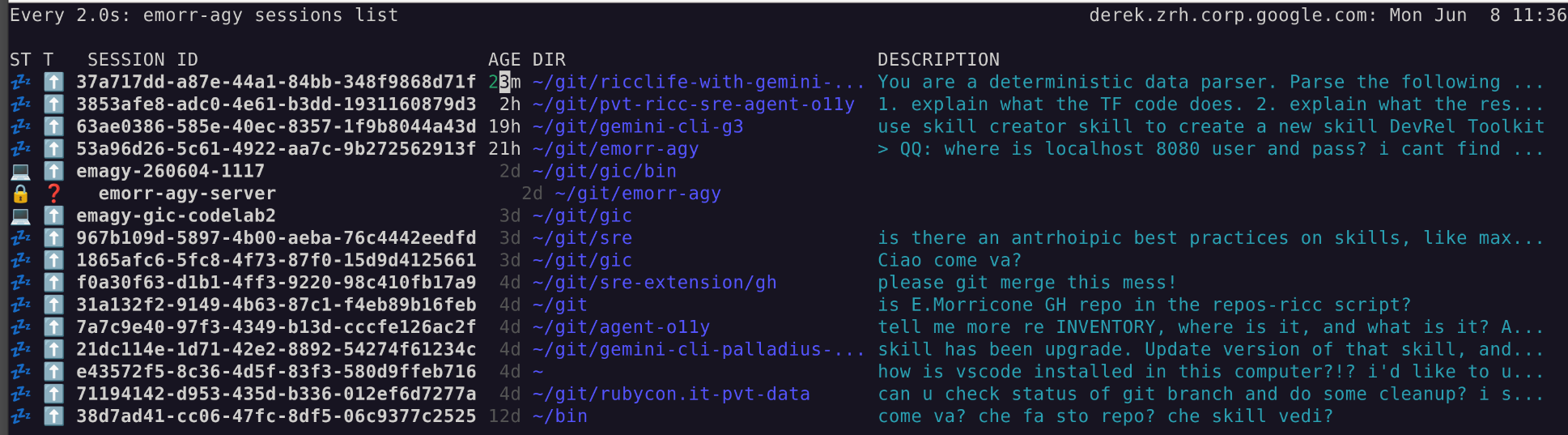
Caption: Here’s my emorr-agy CLI showing all my Antigravity CLI sessions.
The problem: too many CLIs
I’ve been juggling 10 Gemini CLIs sessions per computer since late 2025, and last month I started switching to… 10-12 agy sessions on my computer. Context-switching is tough on me, I need an app just to tell me when to switch to what and what’s the context of that window. Sometimes I use Apple Stickies on top of a terminal to remind myself what that term is doing (!!).
Then last weekend I read this article from my Seroter namesake and thought: OMG this is what I need, I need a harness to manage my CLIs, and Antigravity 2.0 is the best at this!
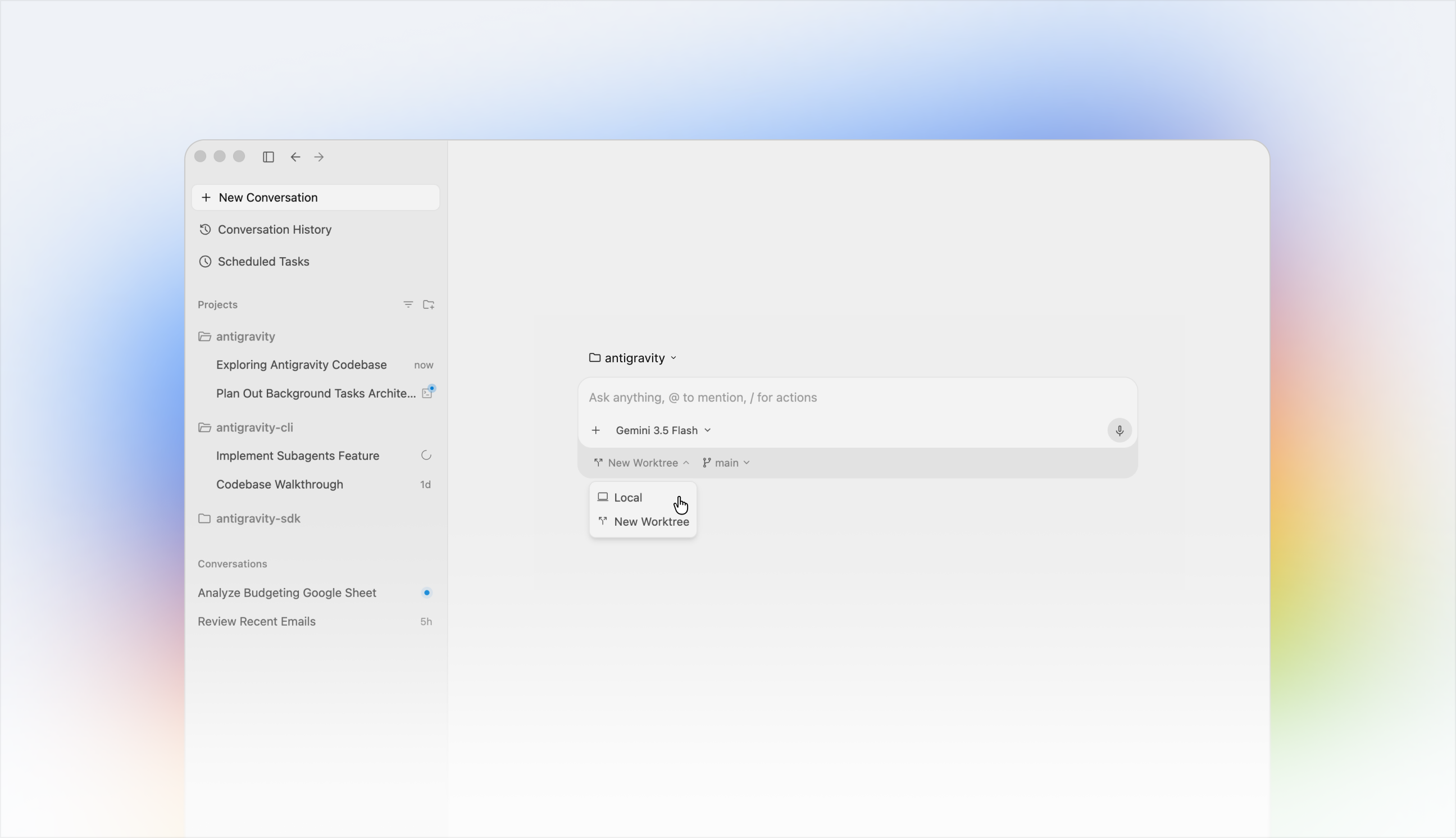
This clean interface has it all:
- 📁 My personal Project 1
- 🧵 Improve UI by adding blue login button with hidden password
- 🧵 Add
/checkout/to backend
- 📁 My work Project 2
- 🧵 Add documentation to
doc/PRD.md - 🧵 Add security tests after later omg/1234.
- 🧵 Add documentation to
As you can see, all your unrelated work is nicely grouped by project (basically, a folder) and then all threads are aligned there, sorted by the most recent one you worked on (and yes, you can ARCHIVE them, otherwise they’ll survive my wife’s sadistic reboot).
When it hit me
As I was saying, I was reading Richard’s magic prompt on my throne and thinking: I just want to do this, plus a few things!
| |
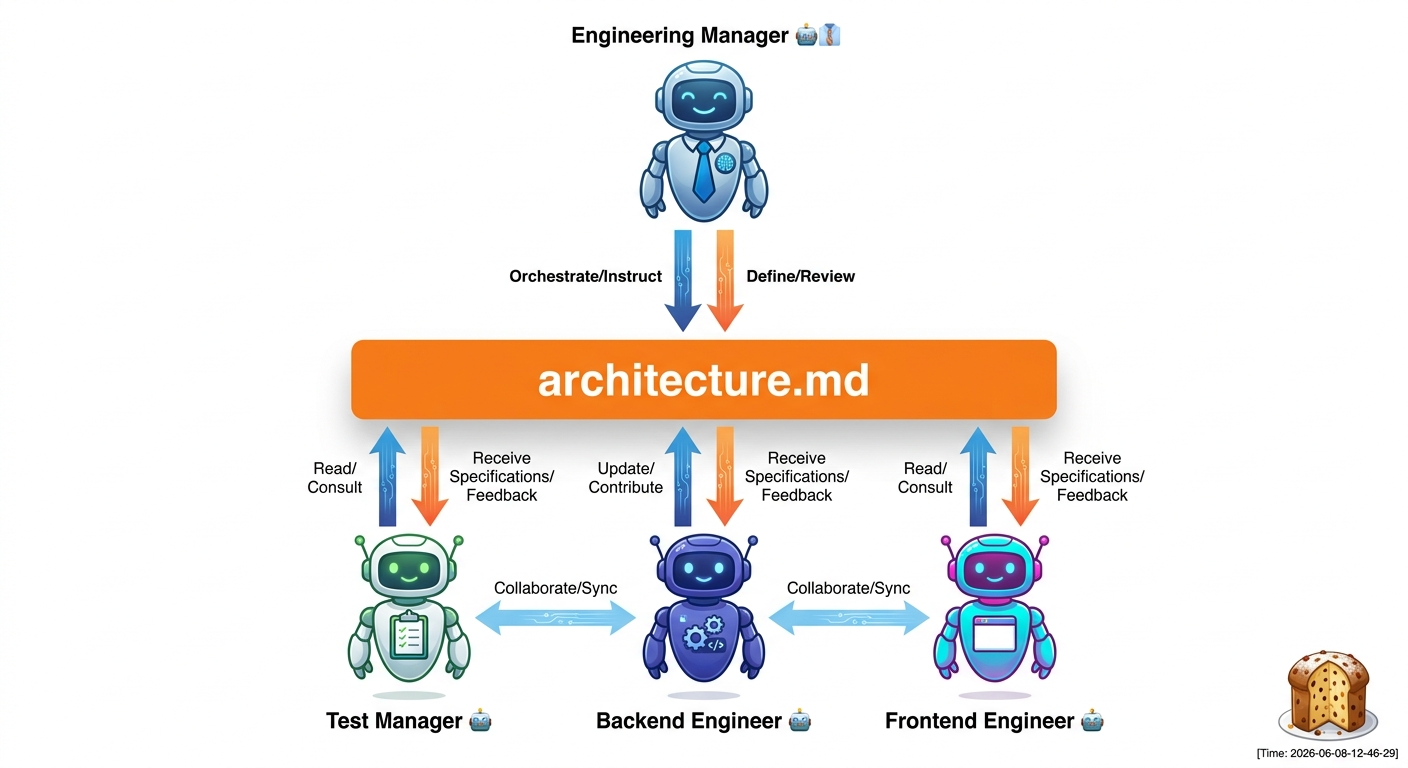
Let’s unpack this prompt. It contains:
- What you want (a hotel booking app).
- Your team of 3 sub-agents.
- How these sub-agents interact (what time / which way).
- What happens when they’re done (spin up and let the human-not-so-much-in-the-loop take a look).
- Important. the common file state here is the common artifact:
architecture.md.
Brilliant. This is meta-programming at its best: you don’t prompt the code you want, you’re prompting the TEAM of workers you want coding your thing! Another step into emergence and you’re prompting… scion!
In the past few months, all I wanted to do was GHI-triggered multi-agent implementation!
- GitHub Issue Integration. Every subagent should work on an issue, if its defined.
- As a Ruby on Rails developer, I know the value of having your code on Rails. The Rails for AI imho is the Conductor extension by my buddy Keith. I use it for all my serious projects.
- Let’s be honest, not always a GHI has what it takes for an agent to go and do things. Sometimes you need a HITL to answer the hard questions. This prevents the implementation for being sloppy (“of course I meant just for authenticated users!!!”)
git worktree. This is what prevents 2+ agents for making a mess out of your repo (been there done that).- If you have N agents pushing Pull Requests to remote branches, it makes sense to have a “Git concierge” to resolve the code to main. He should be configured to have a more conservative approach to the repo. While agent X wants to implement feature X as instructed, this Concierge will be unfazeable as a British Alfred (turns out only GURPS players know what this means) and act as a ’last defense’ for your repo consistency (maybe the code is great, but forgot to run tests, or to update the CHANGELOG… nothing’s better than a fresh context window to catch these errors).
The app: the Italian watchmaker
After watching Heroes, I’m a bit scared of watchmakers, exp Sylar.
I’ve helped my 8-year old for the whole day as he struggled to map a watch pointing to 19:45 to the “19:45” string, and that is sad since he’s so good at math! Once he moves from visual to strings, he can do 08:45 + 20 in no time! So I know what the app needs to be, a platform independent mobile app -> Flutter!
A catchy name, that’s the easy part! orologia.io
Caption: since .com era is so 2000s, and the Sardinian .io era is now! (And no, I’m not buying the domain, only italians get this joke).
Here is the exact multi-agent prompt I designed to orchestrate the creation of orologia.io:
| |
The API Perspective: Stateful Remote Sandboxes
Inspired by Romin Irani’s excellent article on Antigravity Managed Agents, I wanted to see how far we could push the native SDK.
It turns out, with a simple 20-line Python script, you can orchestrate a stateful, multi-turn agent session that acts as a full-fledged SpaceX IPO Analyzer. The script launches a remote sandbox to research and generate a Markdown report, re-attaches to that same environment in a second turn to transform it into a beautifully styled HTML dashboard (complete with custom CSS and generated graphics), and then downloads the entire workspace state:
| |
This highlights two critical features of the GenAI SDK:
environment_id: Keeps the remote Ubuntu container alive, allowing subsequent API calls to inherit the filesystem state.- Environment Download API: Allows you to programmatically retrieve the final agent workspace as a standard
.tararchive.
The coding Framework
I want to use:
git worktreefor async agent implementation- GitHub Issues + Conductor “Railways” (someone would say boundaries) for implementation.
- The
gemini-superpowersplugin, which provides theusing-git-worktreesskill used to isolate our parallel subagents. - “Antigravity 2.0” as harness, inspired by Richard’s article (TODO link)
- State on Disk, inspired by Paul article.