💼 Alexis said last February: ‘This is the year of Agent orchestration’: I couldn’t agree more with him! If 2025 was the year of the AI agent, 2026 is definitely the year of… AI Agents!
If you read 🪨 Part 1 of this series
, you know my confession: I’m a CLI guy (or cleek as I like to call myself). I don’t do UIs. But when I tried to orchestrate a team of parallel subagents to build a simple clock game ( orologia.io
), my terminal babysitting workflow completely broke down. Juggling tmux panes, file checkouts, and Apple Stickies stuck to terminal windows to track active runs was a cognitive nightmare.
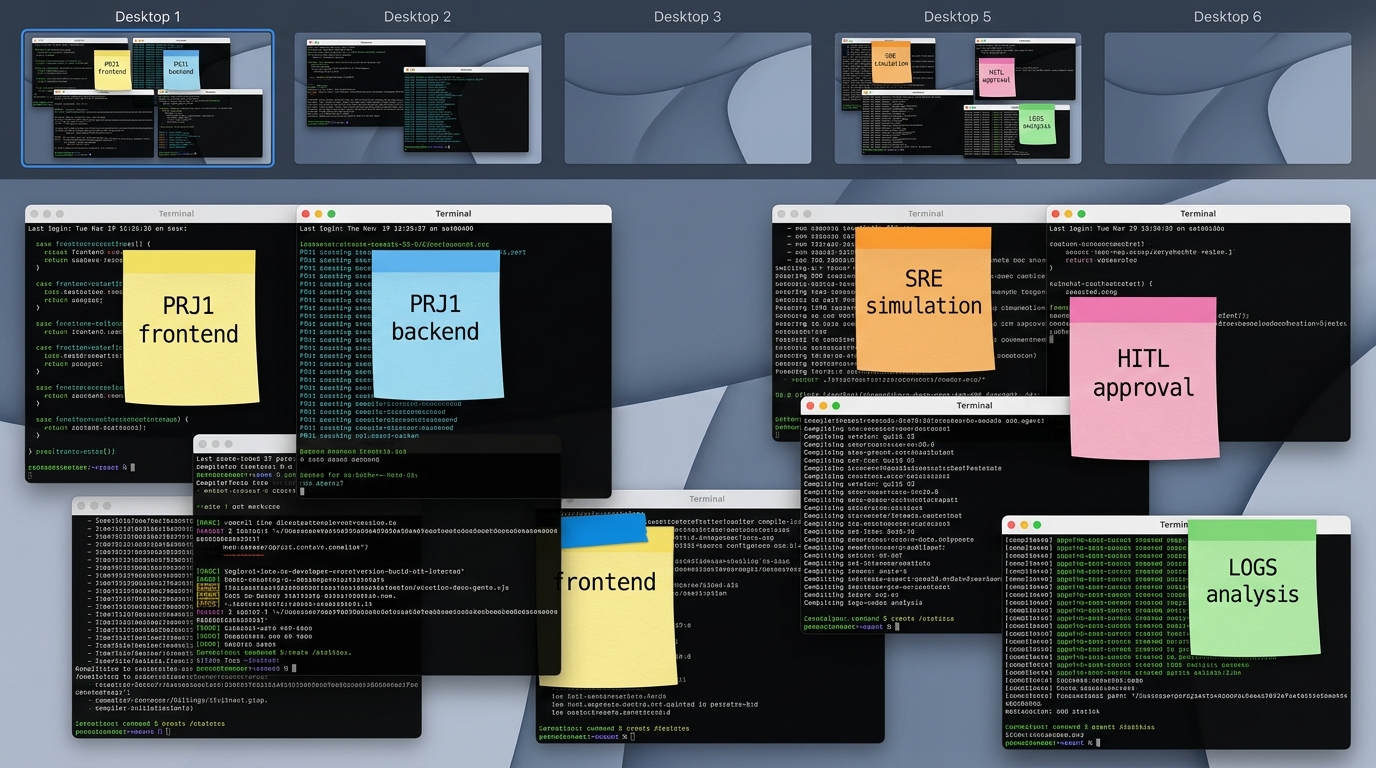
This concept of using a multi-agent harness to build apps in parallel was inspired by Richard Seroter’s recent article ✍️ One prompt, four subagents and ninety seconds to get a working app , where he demonstrated spawning four parallel developer agents to construct a working application in under two minutes.
While opinionated CLI-first developer helpers like Garry Tan’s GBrain are fantastic for single-threaded tasks, managing multiple concurrent agent streams in a standard terminal is a recipe for cognitive overload. Juggling parallel branches, checkouts, and coordinator-to-subagent feedback loops in a flat scrollback buffer simply does not scale cognitively.
So, I capitulated and opened the Antigravity 2.0 UI/Desktop app to manage my concurrent sessions.
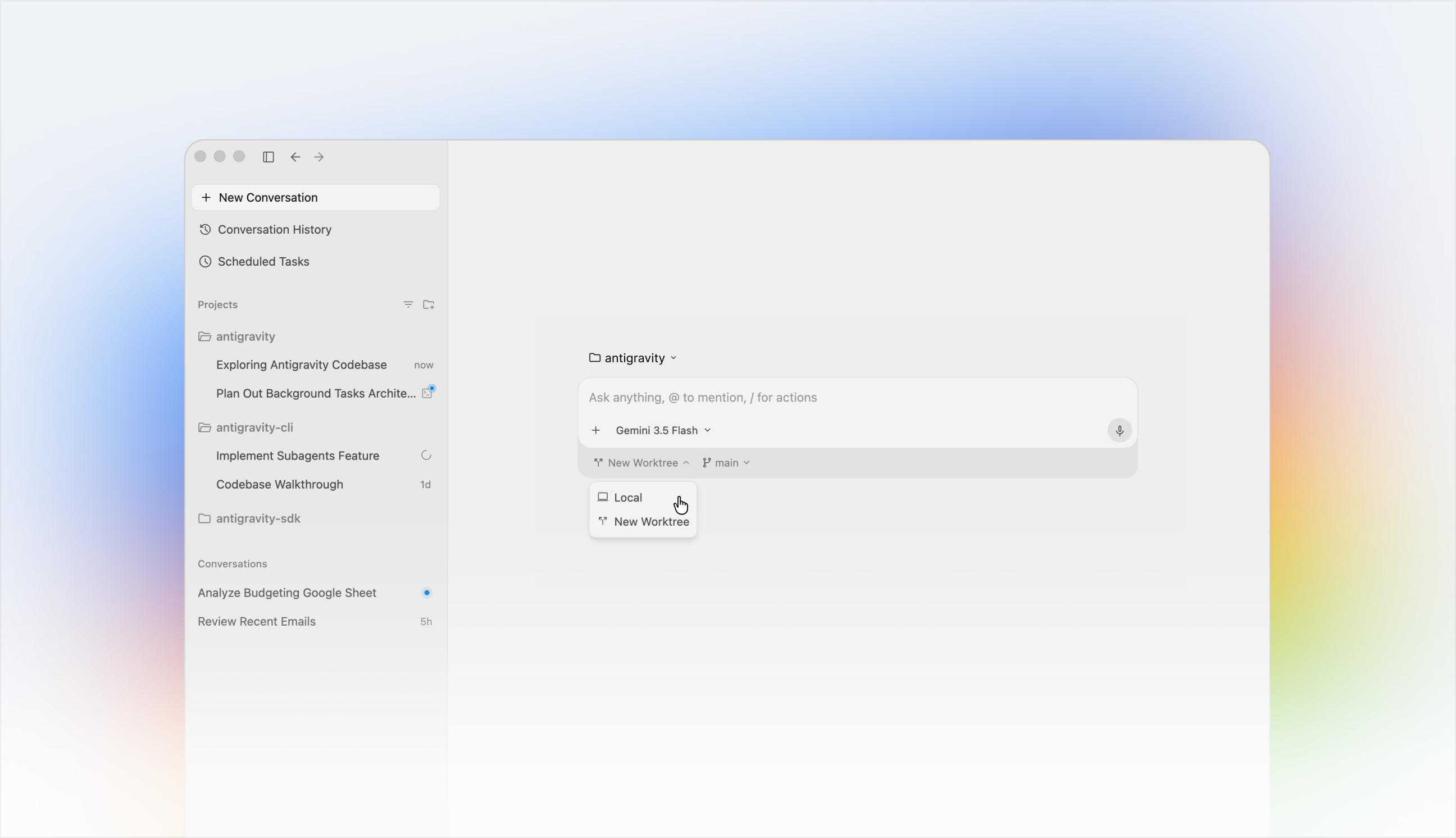
This clean interface has it all:
📁 My personal Project 1
- 🧵 Improve UI by adding blue login button with hidden password
- 🧵 Add
/checkout/to backend
📁 My work Project 2
- 🧵 Add documentation to
doc/PRD.md - 🧵 Add security tests after later
omg/1234
As you can see, all your unrelated work is nicely grouped by project (basically, a 📁 folder) and then all threads are aligned there, sorted by the most recent one you worked on (and yes, you can ARCHIVE them, otherwise they’ll survive my wife’s sadistic reboot). More importantly, now we don’t need physical stickies stuck to the monitor anymore!
But once you have a visual harness that works, the immediate developer question is: how far can we scale this?
Parallel coding with git worktrees, Conductor++, and.. Agostina!
If Part 1 was a soloist sandbox and a simple clock game, Part 2 is about heavy-duty parallel engineering. Today, we’ll see how we took the Antigravity Desktop app and scaled it up to a massive 12-track SRE simulation ( Project Benjamin ) using Git Worktrees, a Rails-like orchestrator called Conductor++, and a concierge agent named Agostina.
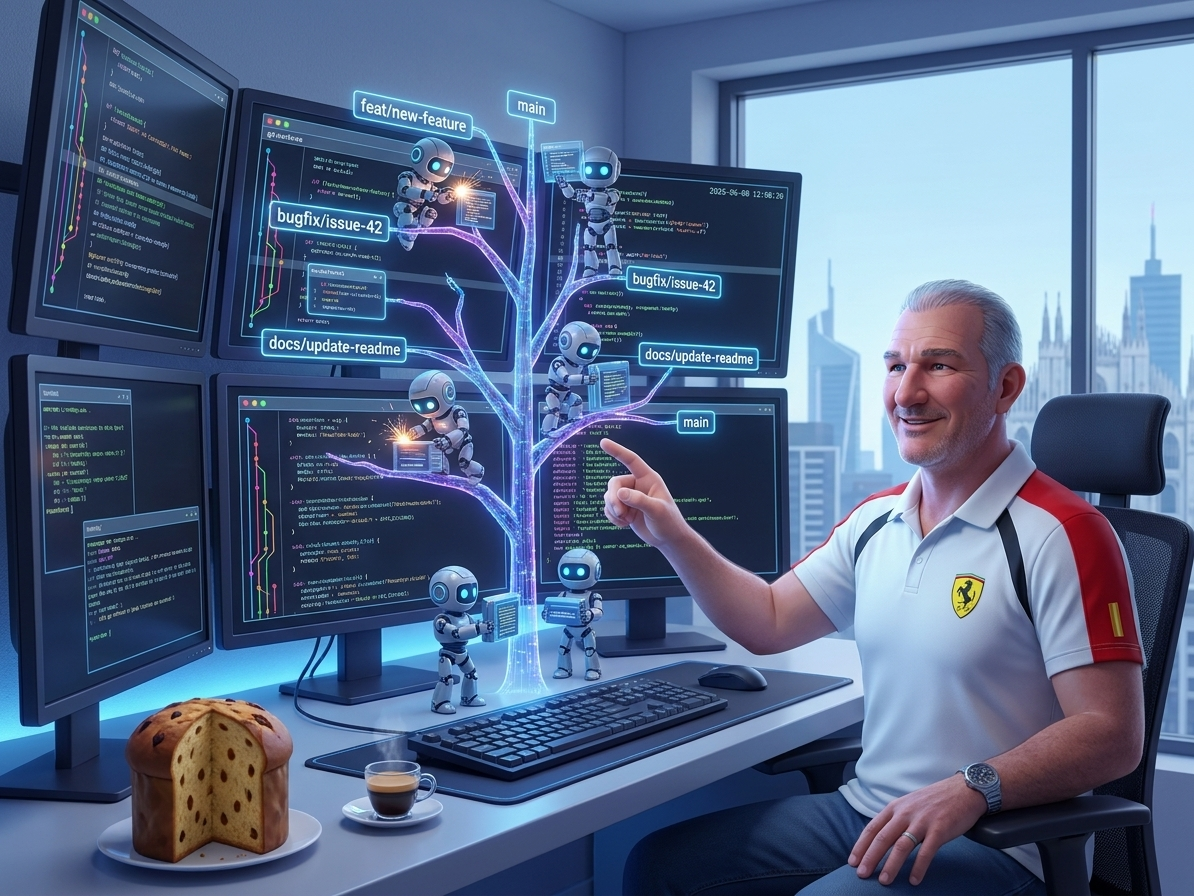
💡 Looking for Part 1? Read 🪨 Orchestrating with Antigravity: A Crescendo of Agents (Part 1) to learn about stateful remote sandboxes and Python SDK orchestration.
When it hit me
As I was saying, I was reading ✍️ Richard’s magic prompt on my throne and thinking: I just want to do this, plus a few things!
| |
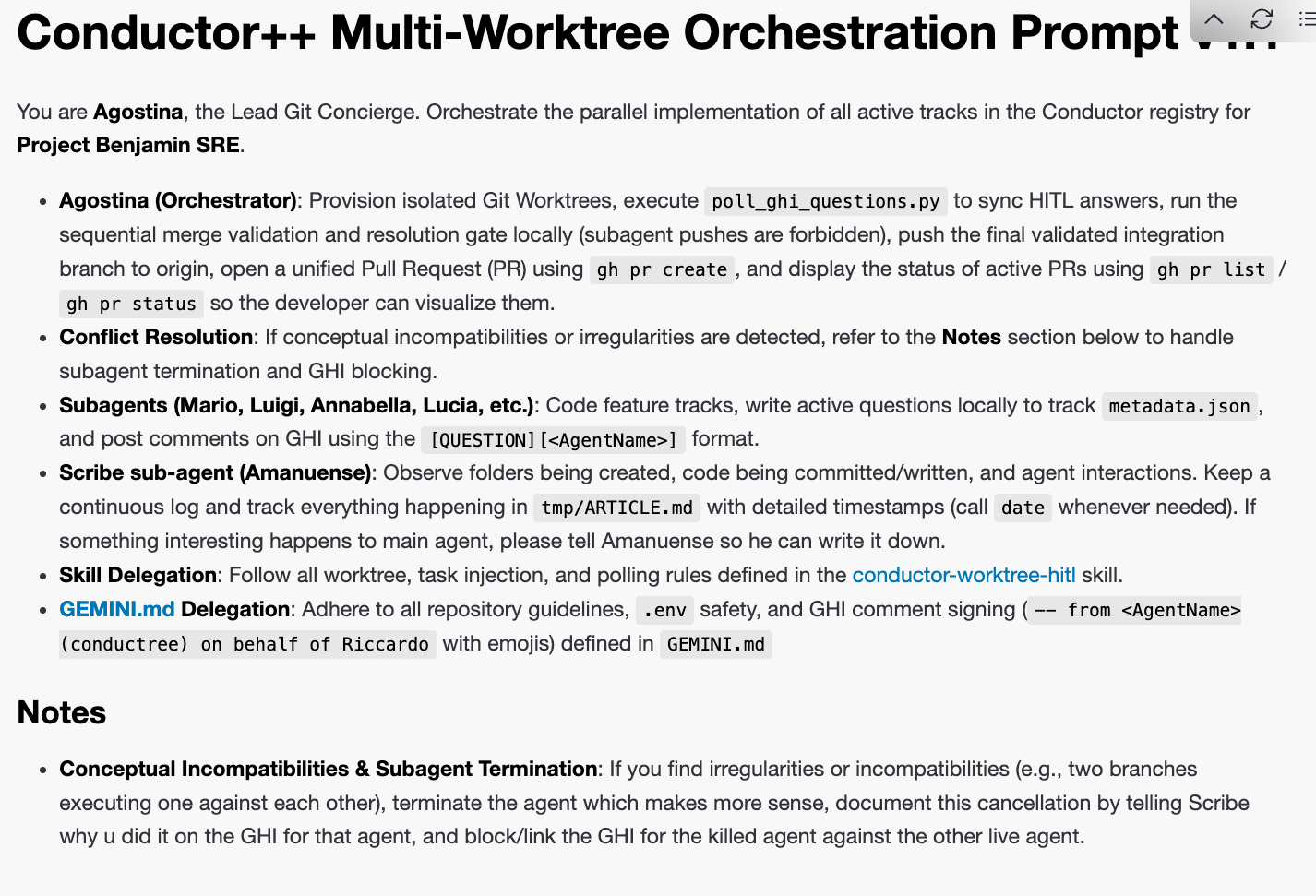
Let’s unpack this prompt. It contains:
- What you want (a hotel booking app).
- Your team of 3 sub-agents.
- How these sub-agents interact (what time / which way).
- What happens when they’re done (spin up and let the human-not-so-much-in-the-loop take a look).
- Important. the common file state here is the common artifact:
architecture.md.
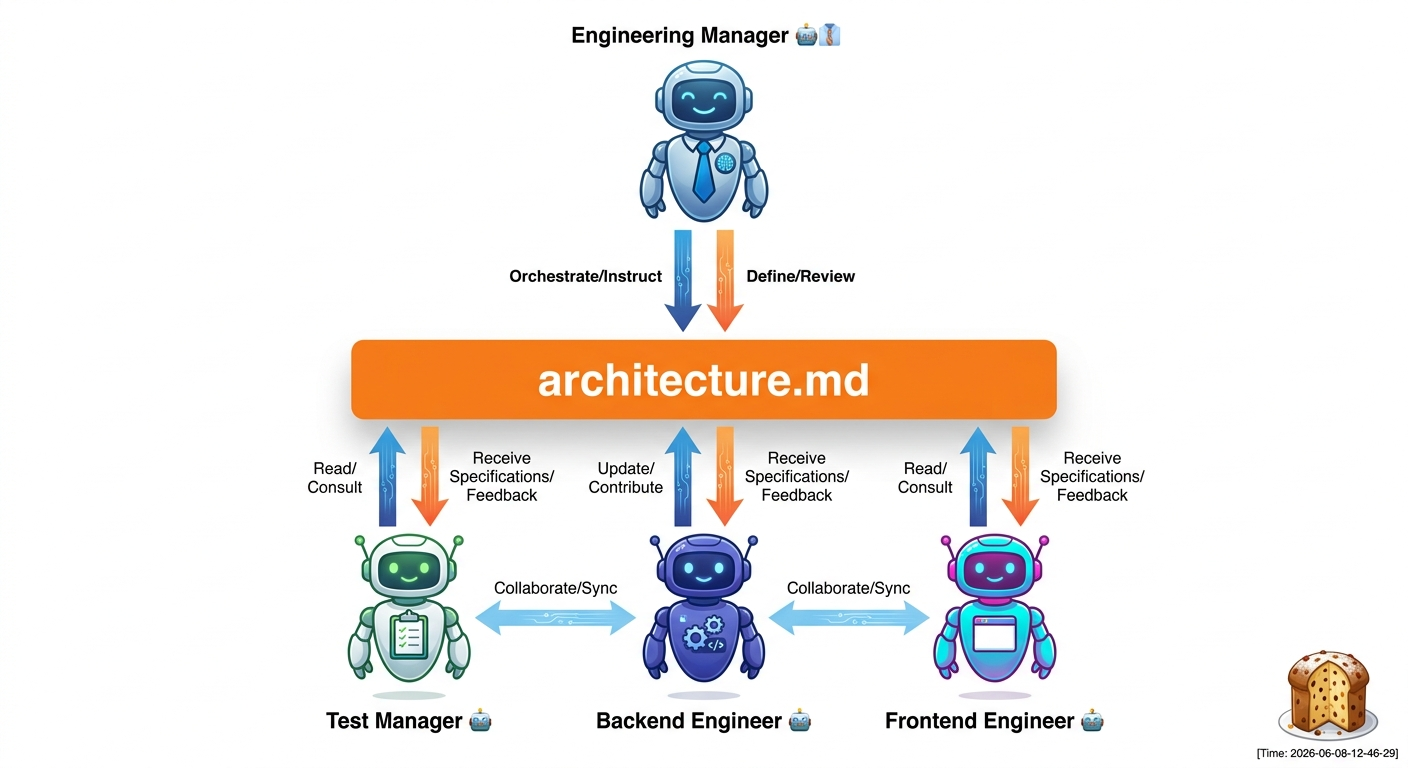
Brilliant. This is meta-programming at its best: you don’t prompt the code you want, you’re prompting the TEAM of workers you want coding your thing! Another step into emergence and you’re prompting… scion !
What I find the most compelling is that here the agents are communicating over a Markdown artifact… the SPECS!
Let’s move back from 🇺🇸 Richard ➡️ to 🇮🇹 Riccardo…
In the past few months, all I wanted to do was GitHub Issue (GHI)-triggered multi-agent implementation!
- GitHub Issue Integration. Every subagent should work on an issue, if its defined.
- As a Ruby on Rails
developer, I know the value of having your code “on Rails”. The Rails for AI imho is the Conductor
extension by my buddy Keith
. I use it for all my serious projects.
- Let’s be honest, not always a GHI has what it takes for an agent to go and do things. Sometimes you need a HITL to answer the hard questions. This prevents the implementation for being sloppy (“of course I meant just for authenticated users!!!”)
git worktree. This is what prevents 2+ agents for making a mess out of your repo (been there done that).- If you have N agents pushing Pull Requests to remote branches, it makes sense to have a “Git concierge” to resolve the code to main. He should be configured to have a more conservative approach to the repo. While agent X wants to implement feature X as instructed, this Concierge will be unfazeable as a British Alfred (turns out only GURPS players know what this means) and act as a ’last defense’ for your repo consistency (maybe the code is great, but forgot to run tests, or to update the CHANGELOG… nothing’s better than a fresh context window to catch these errors).
🛠️ Conductor++ stack: the “condutree” skill
To make this entire multi-agent git-worktree workflow reusable for any codebase, I packaged these exact rules and automations into an open-source agent skill called conductor-worktree-hitl
(or condutree for close friends).
Here are core components:
git worktreefor async agent implementation. One sub-agent, one worktree, one Conductor Track.- GitHub Issues + Conductor “Railways” (opinionated boundaries) for implementation.
- Antigravity 2.0 as the visual UI harness.
- ✍️ State on Disk (inspired by ✍️ Paul’s article ) to persist agent context across runs. My version is compatible with Conductor framework but introduces additional state-as-file, mostly for two things:
- GitHub Issue linking.
- Sub-agent Question/Answers framework (experimental).
- (Optional) The
gemini-superpowersplugin , which provides theusing-git-worktreesskill to automate the worktree isolation.
Why did I build this as an external skill rather than dumping all the git/worktree commands into the main coordinator prompt?
- Conflating the Logic: It consolidates all the low-level workspace provisioning, symlinking, and git excludes in a single, maintainable script.
- Manageable Coordinator Prompts: It keeps the prompt given to the main coordinator agent small, clean, and focused entirely on the high-level main-to-subagent delegation workflow and reentrant question resolution. The agent doesn’t need to get bogged down in git syntax; it simply delegates that execution to the skill.
- Reusability: Other developers can instantly plug this skill into their own repositories and agent harnesses to gain safe, conflict-free parallel agent executions without rewriting the integration scripts.
You can find the code and details in the gemini-cli-custom-commands repository .
Equipping your Antigravity coordinator and subagents with this skill teaches them:
- Worktree Provisioning: How to safely check out independent git worktrees for concurrent tasks.
- Git Hygiene: Symlinking the shared Conductor metadata folders while excluding them locally so git status remains clean.
- HITL Polling: The dual reentrant protocol for posting issue comments, reading local registries, and polling answers without exhausting API quota limit ranges.
- Local Commits & Notes: Standardizing local branch commits and signing off details via Git Notes without direct remote pushes.
While condutree v1.0 provides a solid foundation, we’re already planning v2.0 enhancements (including automated configuration symlinking and richer helper scripts). Check the repository roadmap
for the latest updates.
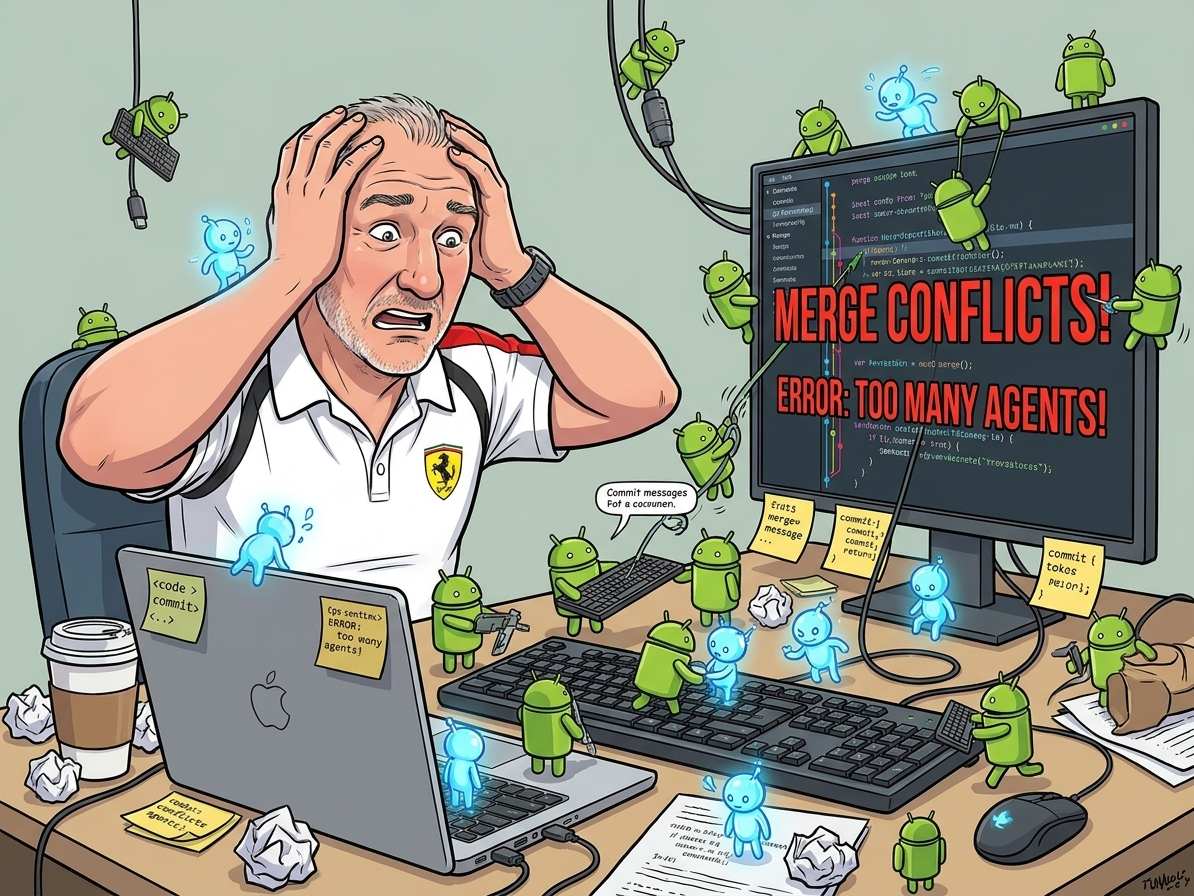
Scaling up: Conductor++ multi-worktree multi-agent dev flow
To see how far we could push this parallel execution model, we built Project Benjamin —a complex, real-world SRE automation and incident command simulator. We weren’t just testing toy apps; we wanted to run a multi-agent system that could audit cloud environments and coordinate incidents across multiple isolated workspaces at the same time.
Here is how we designed and optimized this parallel dev flow:
1. The preparation
Before we could run this without file collisions and merge chaos, we had to solve some tricky git hygiene and naming issues:
Preventing Git Worktree Symlink Pollution: In our Conductor++ setup, each parallel agent gets its own Git Worktree (e.g.,
.worktrees/telegram_incident_creation/). Because subagents need to communicate metadata back to the parent coordinator, we symlink the rootconductor/directory into each worktree:ln -s ../../conductor conductor. Basically, we work on a different worktree for everything except the conductor folder. This is low risk since every track is in a different conductor folder, so there are very low possibilities of merge issues.The Coordinator Agent: To give our DevFlow an approachable, unflappable personality, we named our Lead Git Concierge coordinator Agostina. Agostina behaves like a calm, organized Italian concierge running on espresso, ensuring that parallel subagents (Mario, Luigi, etc.) remain in sync without stepping on each other’s toes. Naming: Of course she’s Italian, and sounds like Antigravity.
The Amanuense Scribe Agent: To maintain a high-resolution, real-time chronicle of all parallel development events, we introduced a dedicated scribe agent called Amanuense. Amanuense continually logs directory creation, code changes, and agent interactions with precise timestamps, outputting them to a central audit file so developers can audit exactly who did what, when, and in which worktree. Naming: Amanuensis is Latin for scribe and it was created for two main reasons (1) Check the smarts in sub-agent synchronization with other agents. and (2) get the timestamps and logs to write this article factually.
2. The logic: parallelism without the chaos
Running multiple AI agents coding in parallel on the exact same repository requires strict isolation and a race-free way to communicate.
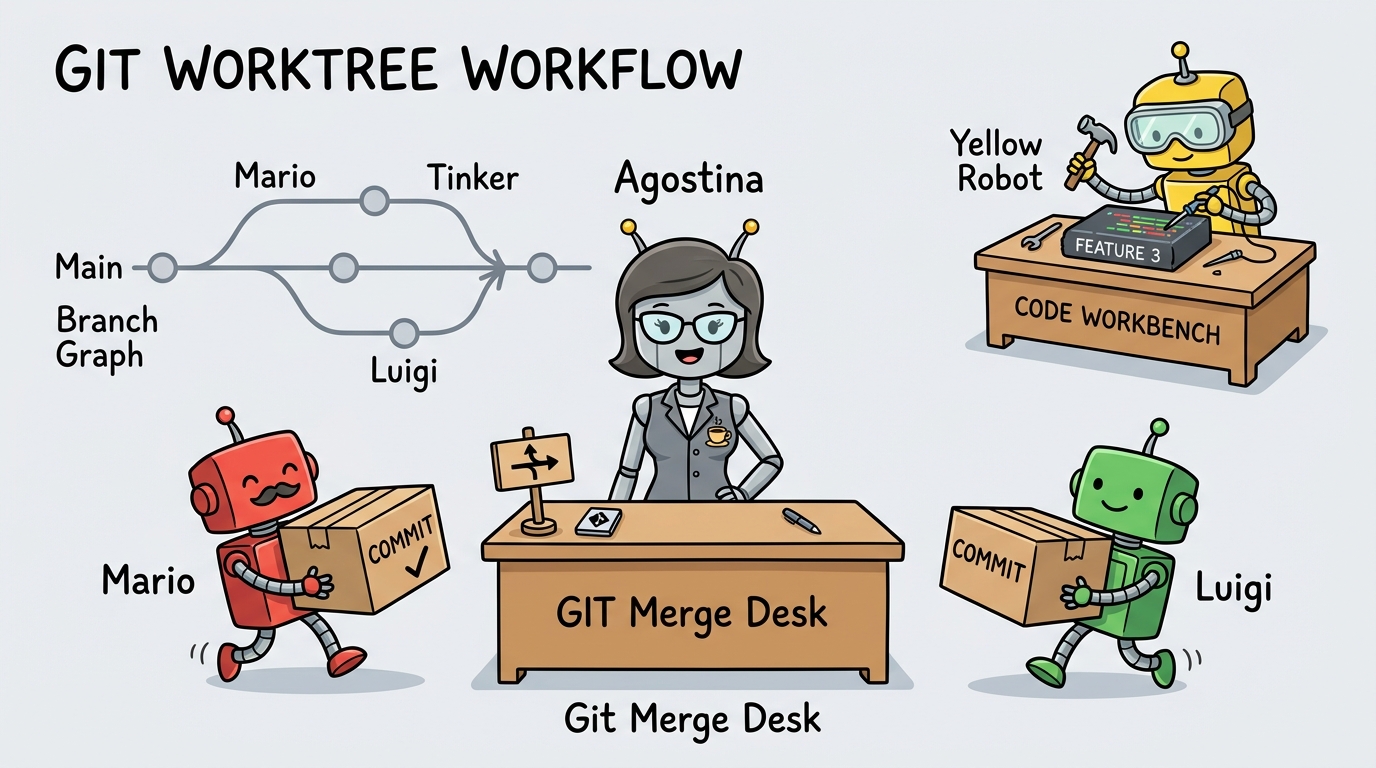
Subagent Git Hygiene (No Direct Remote Pushes): If multiple subagents attempt to run
git pushconcurrently, they will trigger lock collisions on remote refs and introduce untested code into production. Subagents commit exclusively to their local feature branches (feature/<track_id>) and write summarizing git notes. Only the coordinator (Agostina) is permitted to rungit push, checkout the validation branch, and merge feature branches.Dual Reentrant Question Protocol: Instead of using a single global
questions.jsonfile (which introduces write races when multiple subagents ask questions concurrently), we designed a dual reentrant protocol:- Isolated Local State: Subagents write questions to their private track folder (
conductor/tracks/<track_id>/metadata.json). This is 100% race-free. - GitHub GHI Comments: Subagents post the question as an issue comment with a unique tracking signature:
[conductree:<track_id>:<question_id>]. - Smart Polling: Agostina runs a polling script that first checks if any local track is in
"awaiting_human"status. If none are, it skips the GitHub API poll entirely (saving 95%+ of API quota). When it finds a matching comment answer on GitHub, it updates the local metadata to"answered", waking up the subagent.
- Isolated Local State: Subagents write questions to their private track folder (
Shared Wiki-Memory as Agent State: Rather than bloating each subagent’s context window with the entire project history, we use a shared
conductor/directory as a persistent “Wiki-Memory”. This aligns with Andrej Karpathy’s LLM Memory gist — treating a structured local directory like a Wikipedia page that agents dynamically read and write to maintain long-term context. As my friend Dave Rensin notes in his article Elephants, Goldfish, and the New Golden Age of Software Engineering , managing agent memory effectively is what prevents our AI assistants from behaving like goldfish.Cascading Conflict Loop Resolution: In a parallel multi-worktree execution flow, merging the completed feature branches one-by-one can create a “cascading conflict” scenario. Imagine Mario’s branch is merged cleanly into the validation branch, but Luigi’s branch has merge conflicts.
If the human developer resolves Luigi’s conflict directly on the validation branch, Luigi’s original feature branch in.worktrees/telegram_incident_creation/is still conflicting and out-of-date. To prevent this drift, Agostina automatically cherry-picks or merges the conflict resolution back into Luigi’s feature branch. This ensures that the subagent’s isolated worktree remains up-to-date and syntactically aligned with the validated codebase.Pushing to Pull Requests (PRs) & Visualization: Instead of having the coordinator push the merged validation branch directly to
main(which bypasses code review gates), we route the final integration through a Pull Request (PR).- The Flow: Subagents commit locally. Agostina pulls, validates, and merges the branches locally. Once all integration tests pass, Agostina pushes the unified integration branch to remote and invokes the
ghCLI to create a Pull Request:gh pr create --title "feat: ..." --body "..." - PR Visualization: The human operator reviewer can visually inspect diffs, review CI checks, and interact with the code using GitHub’s native UI. To make this process fully transparent, Agostina updates the Conductor registry’s
metadata.jsonwith the created PR URL and displays active PR status locally usinggh pr listandgh pr status.
- The Flow: Subagents commit locally. Agostina pulls, validates, and merges the branches locally. Once all integration tests pass, Agostina pushes the unified integration branch to remote and invokes the
Conceptual Incompatibility & Subagent Termination: Parallel execution can also lead to conceptual conflicts or logical incompatibilities between two tracks (e.g., track A implements a feature that track B refactors in an incompatible way). If Agostina detects such irregularities, she is authorized to immediately terminate one of the conflicting subagents. The cancellation must be documented directly on the GHI (GitHub Issue) for the terminated agent’s task, and the issue must be blocked/linked against the other active agent’s GHI to preserve clear decision ancestry. Note: This happened once. :)
3. The execution: orchestration lifecycle
The orchestrator lifecycle is defined as follows:
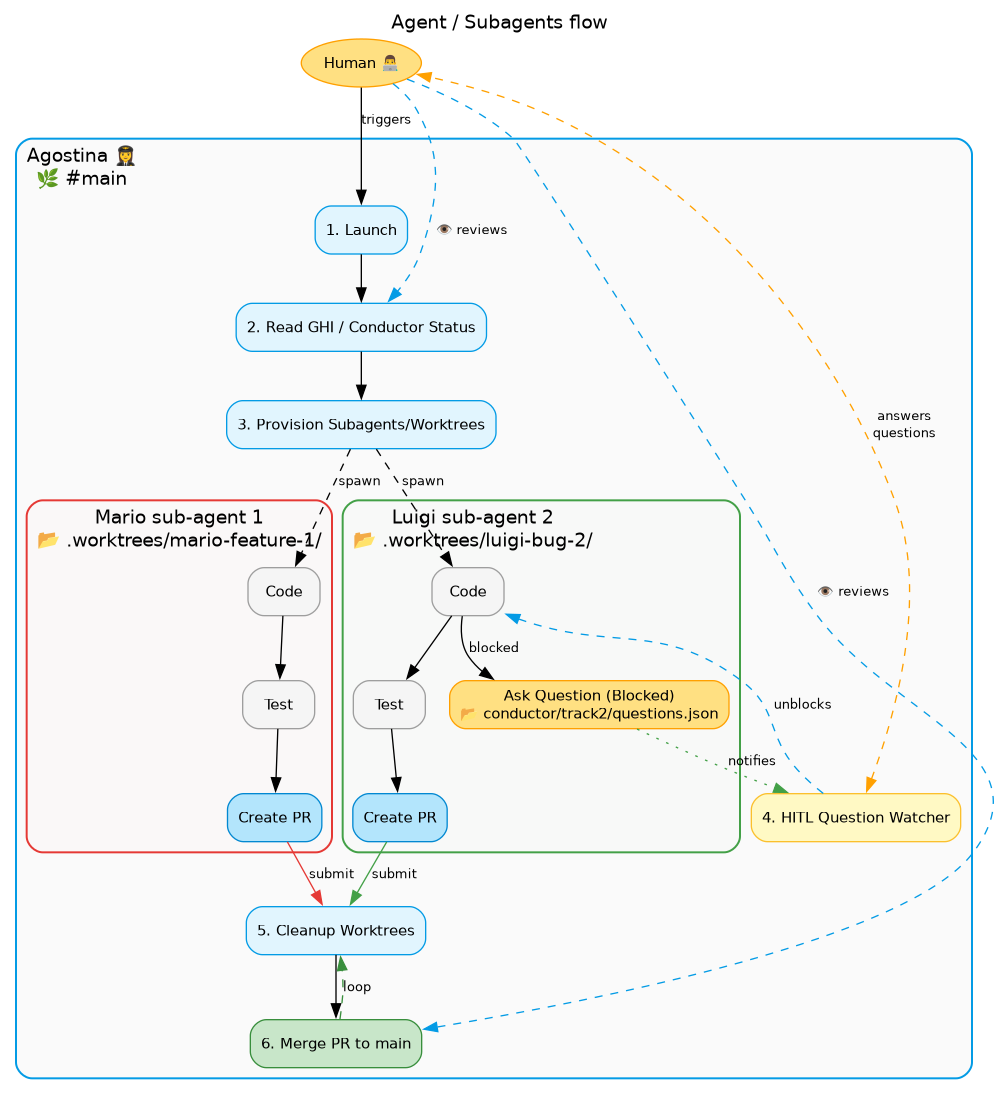
A critical aspect of this flow is that the human operator never interacts directly with the subagents. The subagents run in complete isolation inside their respective git worktrees. Instead, the human only communicates with the coordinator at two specific integration points:
- 1. Launch: The human triggers the orchestrator, which reads the GHI/Conductor status and provisions the worktrees.
- 4. HITL Question Watcher: When a subagent gets blocked and asks a question, the request is routed through Agostina’s HITL watcher to the human. The human’s response is then translated back by the watcher to unblock the agent.
The full 6-step lifecycle is structured as:
- 1. Launch & 2. Read Status: The human operator starts the run; Agostina audits active GitHub Issues and Conductor track states.
- 3. Provision Subagents/Worktrees: Agostina creates isolated git worktrees and spawns the parallel developer subagents.
- 4. HITL Question Watcher: Mediates any blocking questions from the subagents back to the human operator, ensuring a safe, asynchronous feedback loop.
- 5. Cleanup Worktrees: Once the subagents complete their tasks and create their Pull Requests, Agostina cleans up the temporary worktree directories.
- 6. Merge PR to main: Agostina integrates the changes and opens/merges the final PR, looping back to step 5 for any remaining tasks. This can be a blood bath, but luckily agents are better at me at git merges.
Note. The question answering is highly experimental. I’ve tried 3 ways to implement it:
Telegram Sidecar Bridge (openclaw’s style):
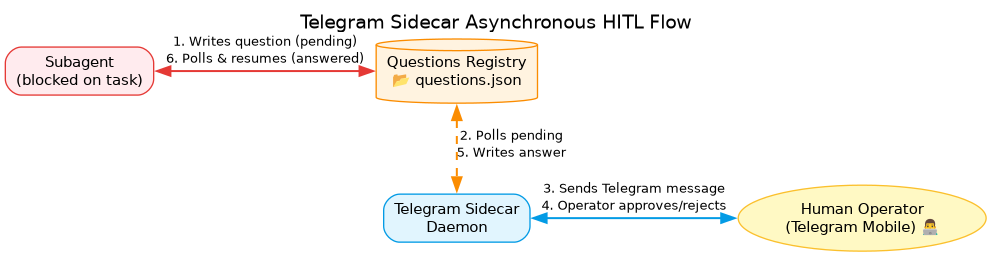
The Telegram Sidecar Bridge runs as an Antigravity background daemon, routing questions or database mutation approvals directly to the developer’s mobile Telegram bot and polling for response states.
Telegram Sidecar Asynchronous HITL Flow Key benefits of this approach:
- Mobile-First HITL: Answer questions or approve database mutations from your phone on the go.
- Race-Free Parallelism: Keeping questions in isolated track directories (
conductor/tracks/<track_id>/questions.json) avoids file lock contention. - Audit Trail: Every decision is stored locally in the Git repository as JSON state for accountability.
GH Issue answering (Jules /
@geminiCLI style). While this is very nice to observe when on the run, this might hit scaling issues fromghscript and I’m afraid of losing my GitHub privileges.By talking to main agent via
questions.json. While this is the simplest, I wasn’t able to be automagically unblocked - had to trigger it myself. So I discarded this approach but I’m sure this can be solved via hooks or in future releases.
Case study: Project Benjamin (SRE on ADK steroids)
To test this parallel dev flow under real-world conditions, I chose Project Benjamin—a web application built around my 🪨 SRE Extension (story for another day!). It was the perfect test candidate because it contains a massive, messy array of parallelizable features: frontend UI, backend APIs, an LLM chat assistant, a Telegram chatbot, OpenTelemetry tracing, and GCP resource discovery.
We went into full multi-agent mode. Instead of playing with one or two toy features, we took 12 complex, critical SRE capabilities and broke them down into more than 20 concrete GitHub Issues (GHIs).
Then, we let the machine rip.
In just 5 hours (mostly unsupervised!), the Conductor++ pipeline successfully built, tested, and merged all 20+ GHIs into the main branch!
The scope of implementation was massive: from setting up OpenTelemetry (OTEL, not to be confused with Seroter Hotels!) tracing in Cloud Run to writing interactive Telegram incident wizards and pending mutation approval registries.
Here are the operational facts and results of this live execution:
🚦 Integration & merge results
Using our parallel Git Worktree orchestration, all feature tracks were developed, tested, and fully integrated into the main branch. Below is the final status audit of the SRE features:
| Issue # | Conductor Track ID & Operational Value | Merge Status in main |
|---|---|---|
| #1 | adk_observability_cloud_run_20260603Dockerization of the SRE dashboard and built-in OpenTelemetry (OTEL) tracing for all inter-agent communication flows. | Merged |
| #18 | unified_incident_lifecycle o11y_20260607Dynamic creation of Discord war-room text channels, with remote human steering via @mention routing to SRE agents. | Merged |
| #26 | gcp_resource_discovery_20260601Resource crawlers for GKE, VPC, GCE VMs, GCS, SQL, and Cloud Run to build the SRE knowledge index. | Merged |
| #29 | telegram_incident_creation_20260603An interactive Telegram chatbot wizard with project selection and voice-note/STT diagnostics transcription. | Merged |
Note: The remaining 8 operational tracks were also successfully integrated: #5: Incident Status Taxonomy , #6: Incident Deletion & Archival , #7: Wiki Project Cross-linking , #8: Multi-env State Management , #9: Graduate State to Cloud , #10: Responsive Wiki UI , #27: Live GCP Connectors , and #28: Pending Mutations . See the full Project Benjamin repository for the complete audit log.
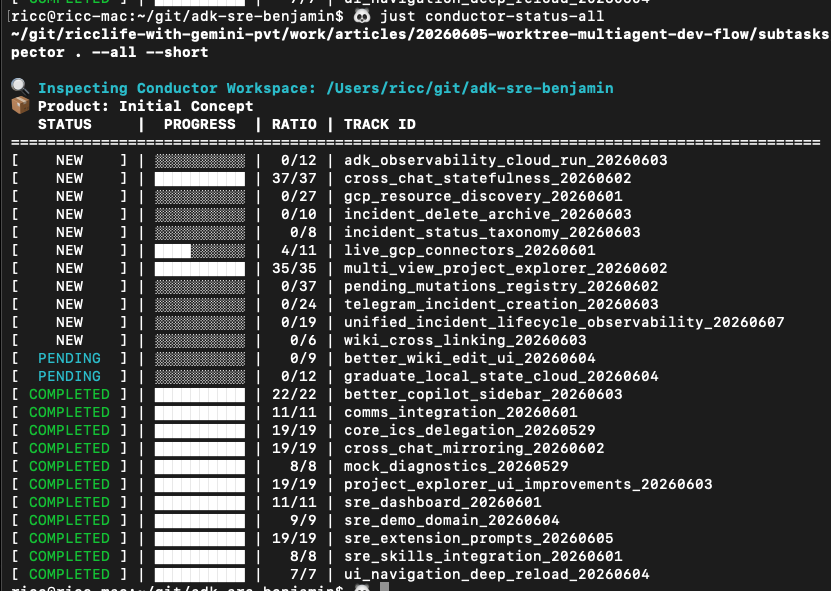
Two weeks later, this is how Conductor looks like:
| |
📸 The workflow timeline (visual audit)
Here is the step-by-step progression of the SRE Benjamin run, showing how the coordinator, scribe, and parallel subagents worked without stepping on each other’s toes:
Step 1: Initializing SRE tracks & worktrees
The parent coordinator initialized the workspaces on the host machine. The Conductor inspector CLI tracked active tracks and assigned subagents (e.g. grazia for Discord war-rooms, pinocchio for pending mutations).
To monitor the active tracks, branches, and agent statuses across all parallel workspaces, we run the Conductor Inspector CLI tool:
| |
Here is the terminal console output captured during initialization:
| |
As you can see pinocchio sub-agent is blocked waiting for HITL answer.
Wait, Riccardo, are GHI and Conductor tracks the same?
Glad you’ve asked! I’ve asked Gemini to detect drift between Conductor and GitHub:
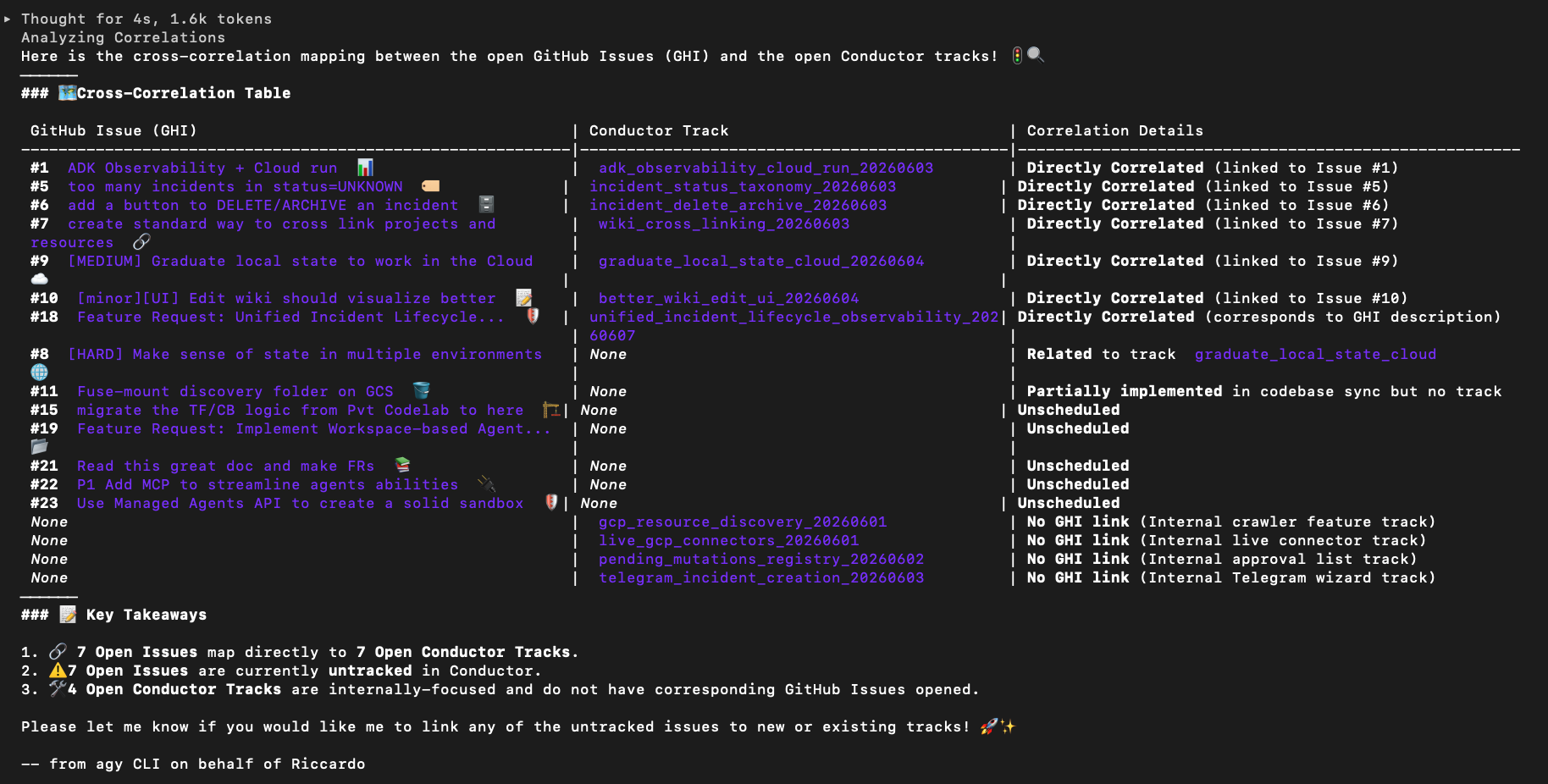
And of course, reconciling thw two DBs is only one prompt away:
- GHI->Conductor:
/conductor:newTrackCreate a new track for every GHI. Ask me all the questions needed, one track at a time. - Conductor -> GHI: Ensure there’s a GHI for every conductor track
Step 2: Parallel worktree isolations
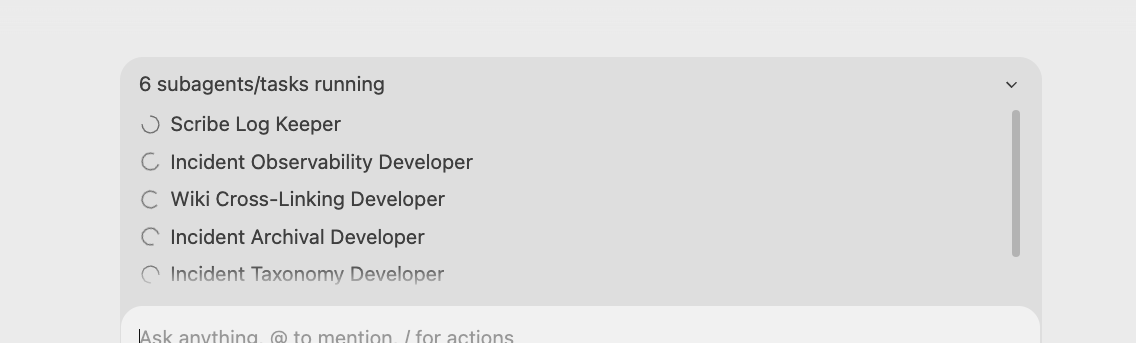
Each agent checked out its own branch and worked in isolation. The Amanuense scribe logged precise file edits and workspace activity without file conflicts.
Look how these beautiful sub-agents work on Antigravity, this would make Richard so proud!
Step 3: Interactive polling & human steering
When agents needed clarification, they posted issues that were parsed by poll_ghi_questions.py.
To make this human-in-the-loop (HITL) steering truly mobile-friendly, we routed these questions through the Telegram Sidecar Bridge (detailed in Section 2 above). Instead of requiring the operator to sit at their computer and refresh GitHub, the bridge routed questions directly to their phone, allowing for rapid, mobile-first approvals on the go.
Step 4: The final green state
Once all feature branches were validation-checked and sequentially merged, Agostina created the Pull Request. The final audit output confirmed all 12 SRE tracks were fully merged into the production branch.
Were they all 100% perfectly tested, also in their mutual interactions? Not so much; but this is for a third article.
You want a more 1980s Space-invaders-like visualization? Here is a ConductorAS video animation:
Yes, of course, Conductor At Scale visualizes a generic git history extrapolating the Conductor tracks and brings them to life in a Star Wars explosive JS animation.
Lessons learned & key takeaways
My #1 lesson learnt is: try to keep the conversation with a single agent, and delegate only simple, pre-determined tasks to sub-agents that require no interaction. Two key practices for this:
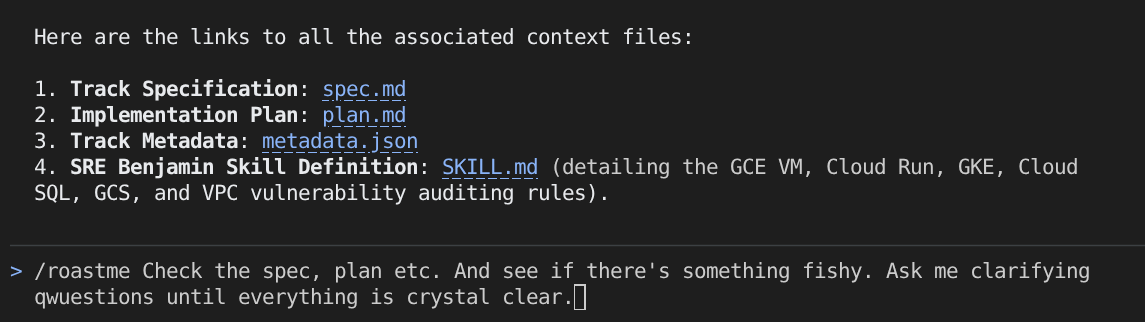
- Minimize agent/human wait-time: Using
/roastmeis great to ask hard questions upfront so the agent can go unimpeded. Conductor is excellent at gathering questions offline. Instead of a continuous interruption cycle of 30-second questions every 5 minutes, you answer all questions in a single 30-minute block, go for a cycle ride, and return to a finished app.
- Keep the Agent/sub-agent relationship lean: Don’t overcomplicate the coordination between agents. While the industry will move toward complex multi-agent hierarchies, in 2026 we should stick to simple, repeatable tasks (implementation-heavy, low-ambiguity) to avoid unnecessary orchestration overhead.
- Orchestration Tax in 2026. Coding is cheap, SPECIFICATION is king, and testing/accepting are the new bottleneck. Read it again, just in case I’m right. Dave and Addy seem to agree with me. The Orchestration Tax is real, and you can be ahead of the curve or be trampled by it, like myself most days.
Now, try It Yourself!
Ready to stop babysitting terminal panes and start orchestrating your own agentic symphonies? Here is how you can get started today:
- Download Antigravity 2.0 and get started immediately with visual multi-track orchestration!
- Check out my
conductor-worktree-hitlskill to equip your own agents with Git Worktree isolation and offline Human-in-the-Loop question gathering!
Read this article on Medium: https://medium.com/@palladiusbonton/orchestrating-with-antigravity-a-crescendo-of-agents-part-2-ea39e3715506 .